
Subaru Forester 2019-2026 Owners Manual / Starting and operating / X-MODE (if equipped) / Hill descent control indicator
Subaru Forester: X-MODE (if equipped) / Hill descent control indicator
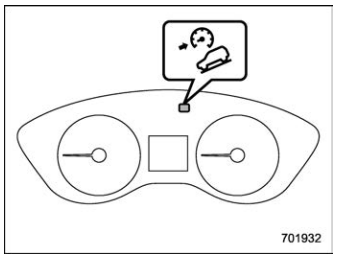
Hill descent control indicator (type A)
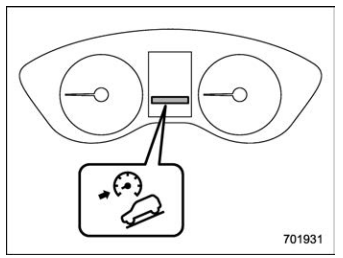
Hill descent control indicator (type B)
This indicator appears while the hill descent control function is in the standby mode. It flashes while the function is operating. It will disappear when the function is in the disabled mode. When this function is changed from operational to non-operational, it will disappear when the vehicle speed reaches more than approximately 18 mph (30 km/h).

 Tire pressure monitoring system (TPMS) (U.S.-spec. models)
The tire pressure monitoring system provides
the driver with a warning message
when tire pressure is severely low.
The tire pressure monitoring system will
activate only when the vehicle is driven at
speeds above 20 mph (32 km/h)...
Other information:
Kia Telluride (LQ2, 2027-2026) Owner's Manual: Highway Driving Assist settings
Driver Assistance Driving Convenience Highway Driving Assist While the vehicle is ON, open Setup > Vehicle > Driver Assistance > Driving Convenience on the infotainment screen to configure the available Highway Driving Assist options...
Subaru Forester 2019-2026 Owners Manual: Canceling the Reverse Automatic Braking (RAB) system operation
The Reverse Automatic Braking (RAB) system can be temporarily canceled by any of the following operations. Depressing the brake pedal* Depressing the accelerator pedal* The accelerator pedal is kept depressed. (In this case, limited acceleration will be canceled and the vehicle will continue reversing...
Categories
- Manuals Home
- Changing a flat tire
- All-Wheel Drive warning light
- Instrument panel
- New on site
- Most important about car
Setting the clock manually

Copyright © 2026 www.suforester5.com