
Subaru Forester 2019-2026 Owners Manual / Seat, seatbelt and SRS airbags / SRS airbag (Supplemental Restraint System airbag) / Passenger’s frontal airbag ON and OFF indicators
Subaru Forester: SRS airbag (Supplemental Restraint System airbag) / Passenger’s frontal airbag ON and OFF indicators
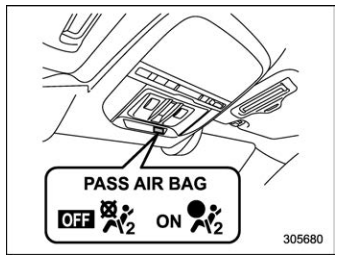
 Front passenger’s frontal airbag
ON
indicator
Front passenger’s frontal airbag
ON
indicator
 Front passenger’s frontal airbag
OFF
indicator
Front passenger’s frontal airbag
OFF
indicator
Refer to “Front passenger’s frontal airbag ON and OFF indicator lights”.
 Front passenger’s SRS frontal airbag
The front passenger’s SRS frontal airbag
uses a dual stage inflat..
 Occupant detection system
Occupant detection system sensors
The occupant detection system sensors
are installed between the seat and seat
rails, and monitor the physique and posture
of the front passenger...
Other information:
Subaru Forester 2019-2026 Owners Manual: Battery drainage prevention function
If a door or the rear gate is not completely closed, the interior lights will remain illuminated as a result. However, several lights are automatically turned off by the battery drainage prevention function to prevent the battery from discharging...
Subaru Forester 2019-2026 Owners Manual: Windshield wipers
/ MIST: Mist (for a single wipe) / OFF: Off / INT: Intermittent / LO: Low speed / HI: High speed To turn the wipers on, push the wiper control lever down. To turn the wipers off, return the lever to the position. For a single wipe of the wipers, push the lever up...
Categories
- Manuals Home
- To activate/deactivate the X-MODE
- Reclining the seatback (if equipped)
- Daytime running light system
- New on site
- Most important about car
Type B multi-function display (color LCD)
Turn the ignition switch to “ON”.
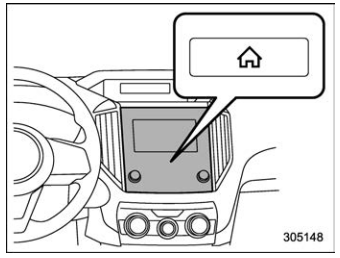
 button.
Select “Settings”.
Select “Vehicle”.
Select “Time/Date” and then select “Manual”.
button.
Select “Settings”.
Select “Vehicle”.
Select “Time/Date” and then select “Manual”.
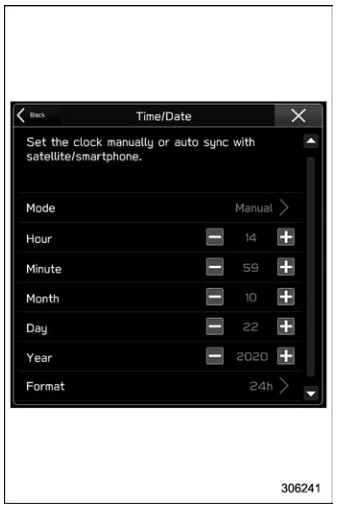
 to complete the
clock
setting.
to complete the
clock
setting.

Copyright © 2026 www.suforester5.com