
Subaru Forester 2019-2026 Owners Manual / Instruments and controls / Warning and indicator / Auto Start Stop No Activity Detected indicator light
Subaru Forester: Warning and indicator / Auto Start Stop No Activity Detected indicator light

When a vehicle is stopped, the indicator light illuminates when the operating condition of idling stop are not meet. The light will turn off when the vehicle starts driving. Refer to “Non-operational conditions”.

 X-MODE indicator light (if equipped) / Hill descent control indicator light (if equipped)
X-MODE indicator light (if equipped)
Type A combination meter
X-MODE indicator
Type B combination meter
X-MODE indicator (models with 1 mode)
X-MODE indicator (models with 2 modes)
X-MODE indicator or D...
Other information:
Subaru Forester 2019-2026 Owners Manual: Tire pressure monitoring system (TPMS) (U.S.-spec. models)
The tire pressure monitoring system provides the driver with a warning message by sending a signal from a sensor that is installed in each wheel when tire pressure is severely low. The tire pressure monitoring system will activate only when the vehicle is driven...
Subaru Forester 2019-2026 Owners Manual: Engine exhaust gas (carbon monoxide)
WARNING Never inhale engine exhaust gas. Engine exhaust gas contains carbon monoxide, a colorless and odorless gas which is dangerous, or even lethal, if inhaled. Always properly maintain the engine exhaust system to prevent engine exhaust gas from entering the vehicle...
Categories
- Manuals Home
- Auto Start Stop warning light/Auto Start Stop OFF indicator light (yellow)
- To activate/deactivate the X-MODE
- Changing a flat tire
- New on site
- Most important about car
Clock/date screen
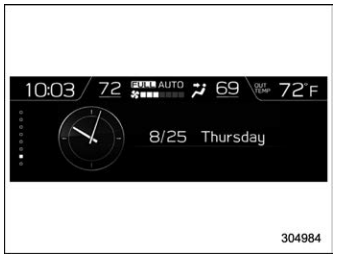
The time and date are displayed. You can adjust the time and date. For details, refer to “Clock”.

Copyright © 2026 www.suforester5.com