
Subaru Forester 2019-2026 Owners Manual / Instruments and controls / Basic screens / Clock/date screen
Subaru Forester: Basic screens / Clock/date screen
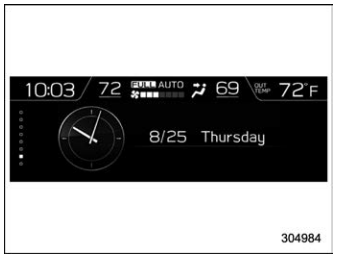
The time and date are displayed. You can adjust the time and date. For details, refer to “Clock”.

 Guidance screen
When the INFO button on the steering
wheel is pressed and held on this screen,
the setting screen can be displayed.
For details, refer to “Setting screen”...
Other information:
Kia Telluride (LQ2, 2027-2026) Owner's Manual: Ergo-motion seat (Driver's seat): (if equipped)
Setting the Ergo-motion seat The Ergo-motion seat in the Kia Telluride uses adjustable air pockets to provide customized cushioning and support for the driver. By changing the support around the hips, waist, and lumbar area, this feature helps reduce fatigue and improve comfort during long drives, continuous highway travel, or changing driving conditions...
Kia Telluride (LQ2, 2027-2026) Owner's Manual: Outside Rearview Mirrors
Your Kia Telluride is equipped with both left and right outside rearview mirrors, designed to provide comprehensive situational awareness during your drive. To ensure safety and optimal visibility, please verify that both mirrors are correctly positioned to your preferred viewing angle before you begin your journey...
Categories
- Manuals Home
- Power steering warning light
- How to use the high beam assist function
- Reclining the seatback (if equipped)
- New on site
- Most important about car
How to get the source code using the open source
Free/Open Source Software Information
This product contains Free/Open Source Software (FOSS).
The license information and/or the source code of such FOSS can be found at the following URL.
http://www.globaldenso.com/en/opensource/ivi/subaru/

Copyright © 2026 www.suforester5.com