
Subaru Forester 2019-2026 Owners Manual / Keys and doors / Door locks / Locking and unlocking from the inside / How to operate the power door locking switches
Subaru Forester: Locking and unlocking from the inside / How to operate the power door locking switches
All doors, the rear gate and fuel filler lid can be locked and unlocked using the power door locking switches located on the driver’s side and the front passenger’s side doors.
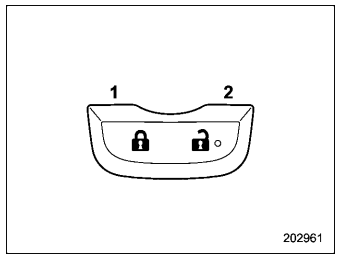
Example
- Press to lock.
- Press to unlock.
NOTE
Make sure that you do not leave the key inside the vehicle before locking the doors from the outside using the power door locking switches.
 How to use the lock lever
Rotate the lock lever rearward to unlock.
Rotate the lock lever ..
 Automatic door locking/unlocking
All doors, rear gate and the fuel filler lid are
automatically locked or unlocked under
the following conditions.
For automatic door locking
When the vehicle speed reaches 12
mph (20 km/h) or higher (factory
default setting)...
Other information:
Subaru Forester 2019-2026 Owners Manual: Auto Vehicle Hold function
The Auto Vehicle Hold function will automatically keep the vehicle stopped even after releasing the brake pedal when the vehicle is at a complete stop, such as at traffic signals. WARNING Do not use the Auto Vehicle Hold function on a steep hill or slippery road...
Subaru Forester 2019-2026 Owners Manual: Power window switches
Driver’s side power window switches: For front left window (with one-touch auto up and down feature) For front right window (with one-touch auto up and down feature (if equipped)) For rear left window For rear right window Lock switch All door windows can be controlled by the power window switch cluster on the driver side door...
Categories
- Manuals Home
- Auto Start Stop warning light/Auto Start Stop OFF indicator light (yellow)
- Automatic door locking/unlocking
- Reverse Automatic Braking (RAB) system ON/OFF setting
- New on site
- Most important about car
Type B multi-function display (color LCD)
Turn the ignition switch to “ON”.
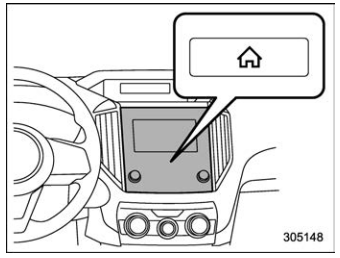
 button.
Select “Settings”.
Select “Vehicle”.
Select “Time/Date” and then select “Manual”.
button.
Select “Settings”.
Select “Vehicle”.
Select “Time/Date” and then select “Manual”.
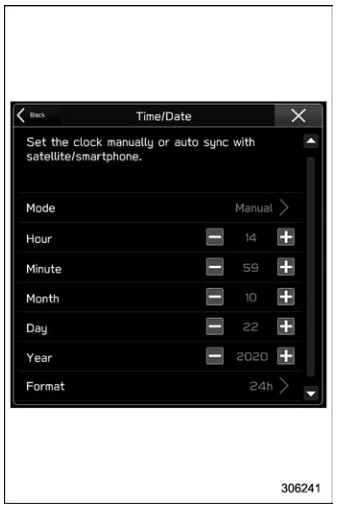
 to complete the
clock
setting.
to complete the
clock
setting.

Copyright © 2026 www.suforester5.com