
Subaru Forester: Controls and features / Interior lights
The Kia Telluride is equipped with several interior lighting functions that improve cabin visibility and make it easier to enter, exit, and locate controls inside the vehicle.
WARNING
Do not drive with the interior lights turned on in dark conditions. Bright interior lighting can reduce forward visibility and increase the risk of an accident that could result in serious injury or death.
TIP
To help prevent unnecessary discharge of the 12V battery, avoid leaving the interior lights on for extended periods when the vehicle is not running.
Automatic turn off function
If any interior lights remain on after the vehicle has been turned off, they automatically switch off after approximately 20 minutes to help protect the 12V battery.
On Kia Telluride models equipped with the theft alarm system, the interior lights automatically turn off approximately 5 seconds after the security system has been armed.
Interior lights always on
The Interior Lights Always On function keeps the interior button illumination active both during the day and at night, making switches and controls easier to locate in the cabin.
Select Settings > Vehicle > Lights > Interior Lights Always On from the infotainment system to enable this feature.
The illuminated interior buttons operate as follows:
-
When all doors are closed and locked, unlocking and opening a door keeps the illuminated buttons on for approximately five minutes.
-
After the Kia Telluride has been turned off, the interior button lighting remains illuminated for approximately five minutes.
-
If a door is opened and closed again or the vehicle is locked during this period, the lights turn off immediately.
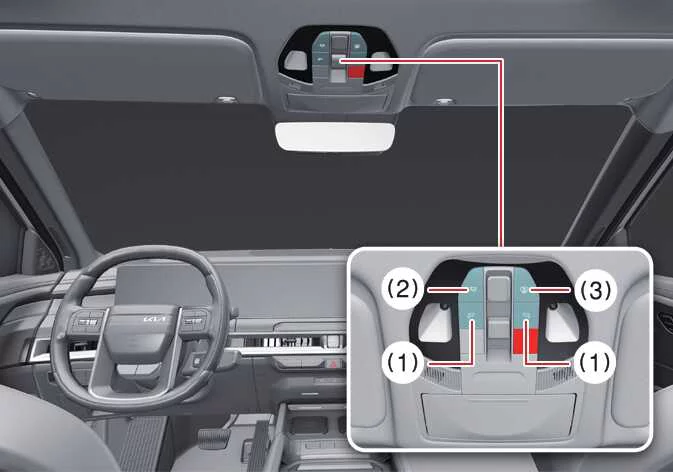
Map light
|
-

 :
Press the button for the desired side to switch the corresponding map light on. Press the same button again to turn that lamp off.
:
Press the button for the desired side to switch the corresponding map light on. Press the same button again to turn that lamp off.To adjust brightness, press and hold the selected button for approximately 1.5 seconds while the lamp is illuminated. The brightness of the left and right map lamps will gradually change. Release the button when the preferred brightness level is reached, and the Kia Telluride will automatically save the selected setting.
-
 :
Press this button to turn on both the front and rear interior lamps. Press it again to switch all interior lamps off.
:
Press this button to turn on both the front and rear interior lamps. Press it again to switch all interior lamps off.When the status indicator is illuminated, press and hold the button for approximately 1.5 seconds to adjust the brightness of the front and rear interior lights simultaneously. Release the button when the desired brightness has been reached, and the selected level will be stored.
To restore the factory brightness setting for all interior lighting, press and hold the button for more than 3 seconds while the status indicator is off. The interior lights will flash twice to confirm that the brightness has been reset.
-
 :
DOOR mode
:
DOOR mode-
Indicator OFF
-
The interior lamps automatically illuminate when a door is opened and remain on for approximately 30 seconds after the door is closed before turning off.
-
Unlocking the Kia Telluride with the smart key also turns on the interior lighting for approximately 30 seconds.
-
If the interior lamps are illuminated during this period, they will switch off immediately when the vehicle is started or when all doors are locked.
-
If a door is opened while the vehicle is in the OFF or ON position, the interior lighting remains on for up to approximately 10 minutes before turning off automatically. If the vehicle is already in the ON position, the lights remain illuminated continuously.
-
-
Indicator ON
-
The automatic interior lighting functions linked to opening and closing the doors are enabled.
-
-
TIP
The DOOR mode and ROOM mode cannot be activated at the same time.
Interior light
|
|
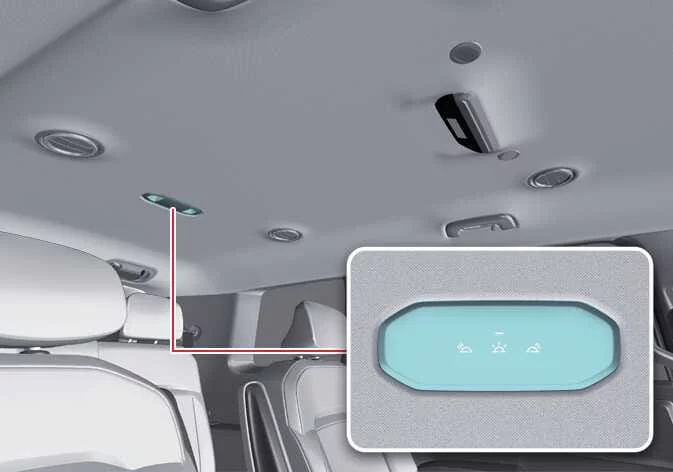
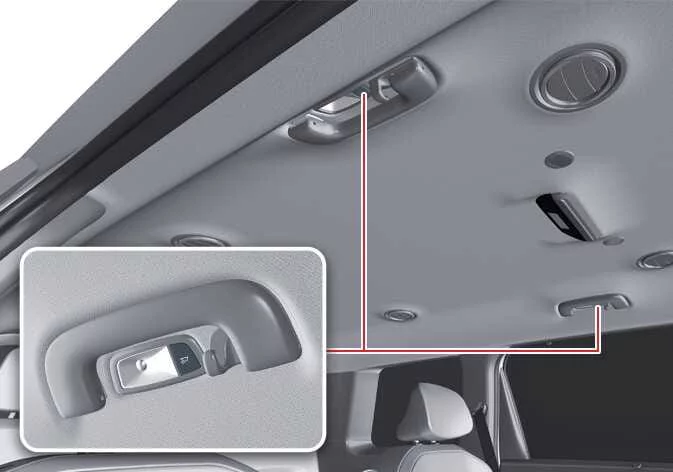
Press the corresponding button to switch the cabin light on or off as needed. The interior lighting system provides convenient illumination for passengers throughout the Kia Telluride cabin.
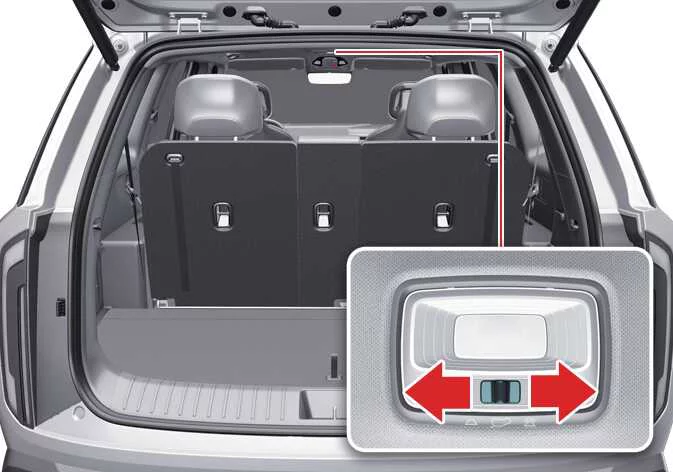
Luggage compartment light
|
-
 :
The luggage compartment light turns on whenever the liftgate is opened and closes automatically when the liftgate is closed.
:
The luggage compartment light turns on whenever the liftgate is opened and closes automatically when the liftgate is closed. -
 :
The light remains illuminated while the liftgate is open and switches off after the liftgate is closed.
:
The light remains illuminated while the liftgate is open and switches off after the liftgate is closed. -
 :
The luggage compartment light remains off regardless of whether the liftgate is opened or closed.
:
The luggage compartment light remains off regardless of whether the liftgate is opened or closed.
NOTE
The luggage compartment light remains illuminated while the liftgate is open. To help prevent unnecessary battery discharge, always close the liftgate securely after loading or unloading the cargo area.
Vanity mirror light
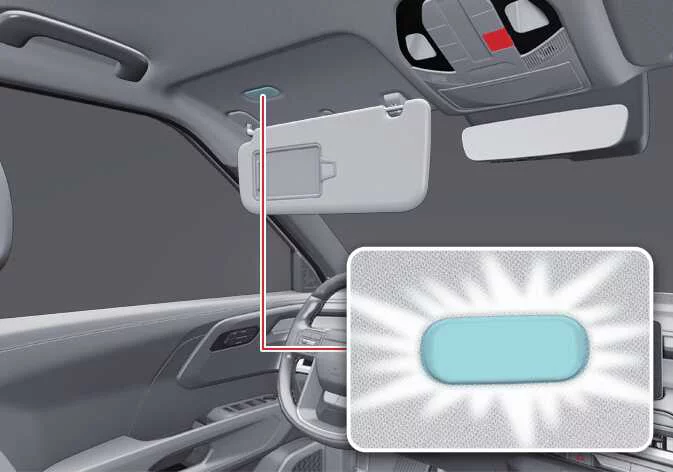
|
The vanity mirror light switches on automatically whenever the vanity mirror cover inside the sun visor is opened.
NOTE
Vanity mirror lamp
Always close the vanity mirror cover after use so the lamp turns off properly. Closing the sun visor while the vanity light remains illuminated may damage the visor or contribute to unnecessary 12V battery discharge.
Glove box light: (if equipped)
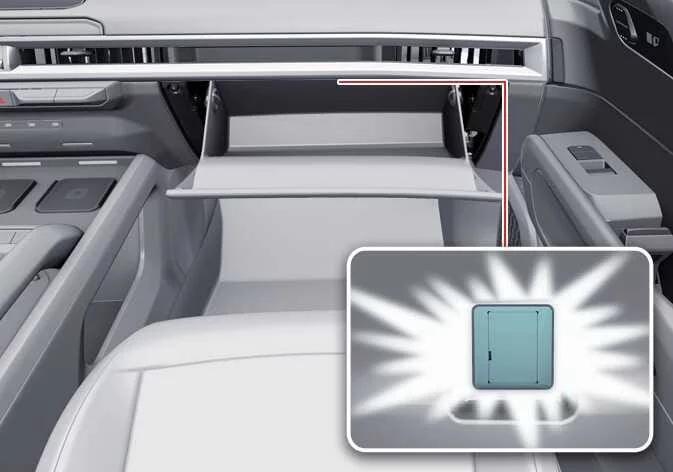
|
The glove box light automatically illuminates whenever the glove box is opened, making it easier to locate stored items.
NOTE
To help prevent unnecessary battery drain, make sure the glove box is completely closed after use.
Center console storage light: (if equipped)
The center console storage light automatically turns on whenever the center console storage compartment is opened, improving visibility inside the storage area.
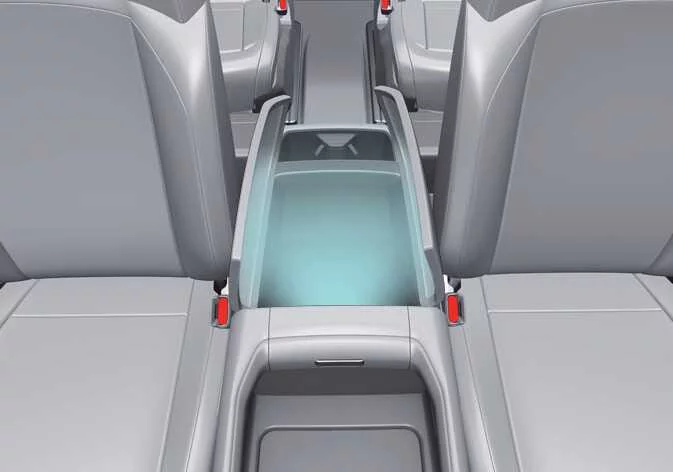
|
Liftgate light: (if equipped)
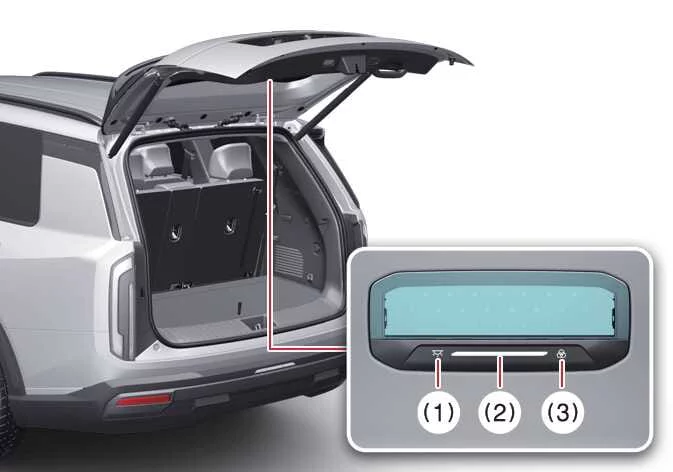
The liftgate light provides additional illumination beneath the open liftgate, helping improve visibility during nighttime loading, unloading, or other outdoor activities around the rear of the Kia Telluride.
|
|
-
Press the liftgate light ON/OFF button (1) to switch the light on or off.
-
Move the brightness/light temperature slider to adjust either the brightness level (10-100%) or the light temperature (3,000-6,000 K) to the preferred setting.
-
Press the light temperature button to cycle through three available lighting modes:
-
Warm white: 4,500 K
-
Neutral white: 6,000 K
-
Cool white: 3,000 K
-
Ambient light: (if equipped)
The ambient lighting system, if equipped, adds soft illumination to selected areas of the Kia Telluride cabin, including the front instrument panel, front and rear doors, and center console. It helps create a more refined interior atmosphere while making key cabin areas easier to notice in low-light conditions.
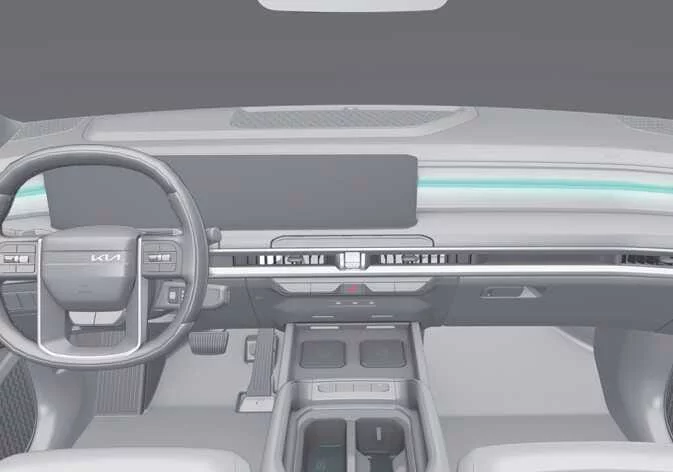
|
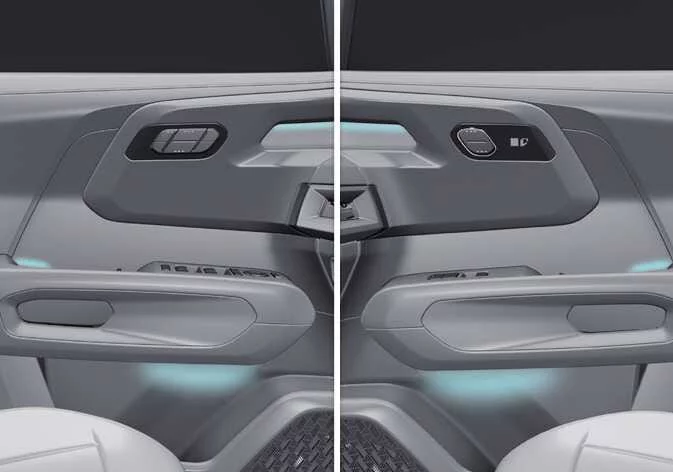
|
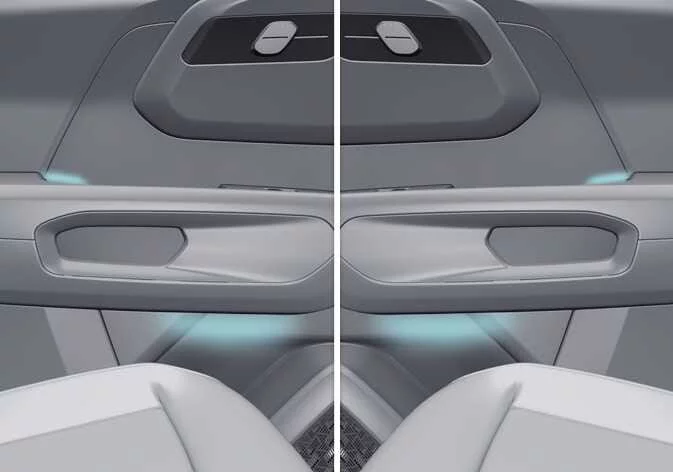
|
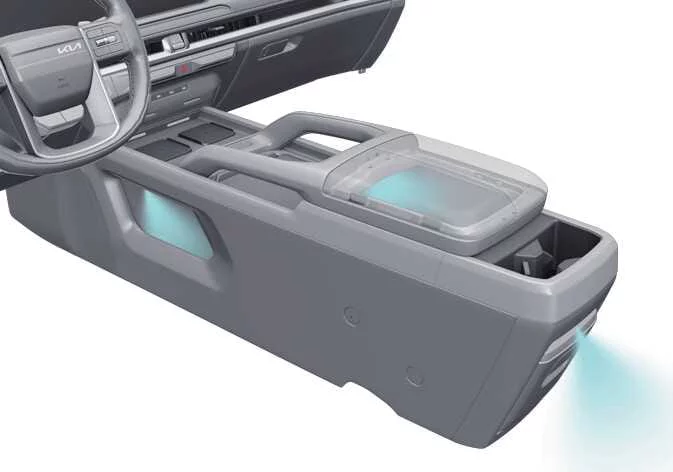
|
When the vehicle is in the ON position, select Settings > Vehicle > Lights > Ambient Lighting from the infotainment system to adjust or review the ambient lighting settings.
TIP
The infotainment system menu layout may change after a software update. For the most accurate menu information, refer to the user’s manual available in the infotainment system or the supplied quick reference guide.
 Welcome system
T..
 Climate control system
The climate control system helps heat, cool, ventilate, and dehumidify the Kia Telluride cabin so the driver and passengers can remain comfortable in a variety of weather conditions...
Other information:
Subaru Forester 2019-2026 Owners Manual: When a user is not recognized
In the following case, user recognition may not be possible and “User recognition stopped” may be displayed. There is an object blocking the camera. Remove the obstacle and follow the reference procedure to perform user recognition again. Refer to “Repeat facial scan”...
Kia Telluride (LQ2, 2027-2026) Owner's Manual: Lane-Change Oncoming function: (if equipped)
The Lane-Change Oncoming function of Forward Collision-Avoidance Assist is intended to support the driver when changing lanes and an oncoming vehicle or motorcyclist may create a collision risk. In the Kia Telluride, this function may provide the following assistance: Collision Warning Emergency Steering Collision Warning Collision Warning Collision Warning can alert the driver with a blinking Emergency steering warning light (), a warning message, an audible warning, and steering wheel vibration...
Categories
- Manuals Home
- Daytime running light system
- RAB warning light (if equipped)
- Changing a flat tire
- New on site
- Most important about car
Driving information display
NOTE
You can set the units for both the multifunction display (black and white) and the combination meter at the same time. For details about setting the language and units, refer to “Type A combination meter” or “Menu screens”.
