
Subaru Forester 2019-2026 Owners Manual / Instruments and controls / Warning and indicator / List of warnings
Subaru Forester: Warning and indicator / List of warnings
CAUTION
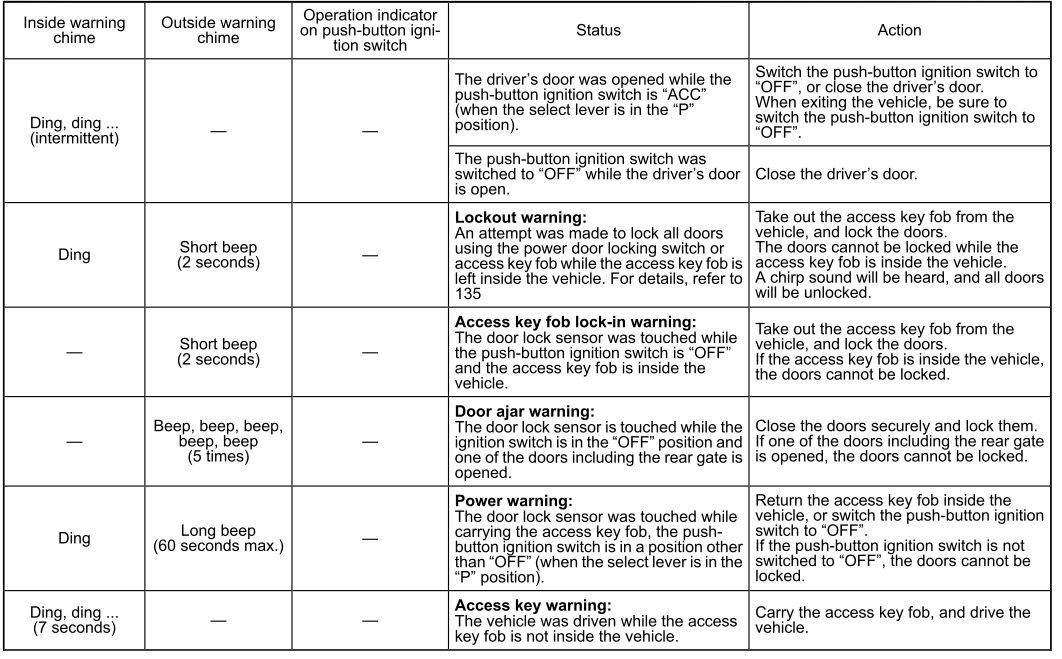
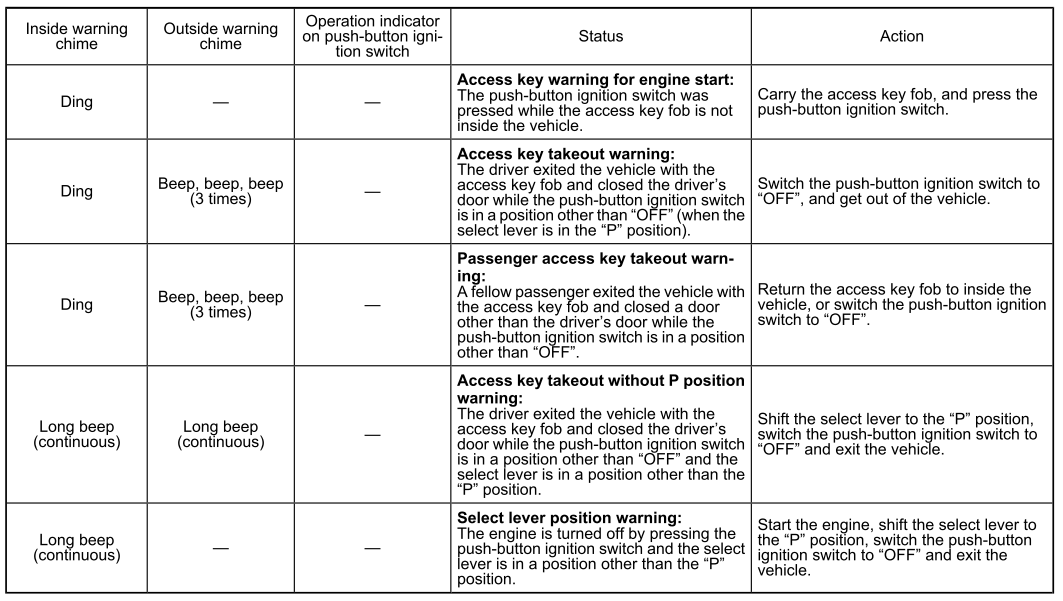
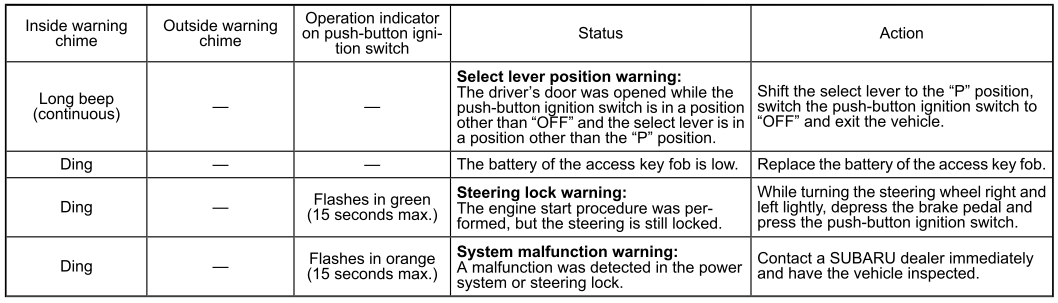
When any of the following warnings occurs even if the access key warning indicator does not appear, take the appropriate action.

 Security indicator light
This indicator light shows the status of the
alarm system. It also indicates operation of
the immobilizer system.
Alarm system
It blinks to show the driver the operational
status of the alarm system...
Other information:
Kia Telluride (LQ2, 2027-2026) Owner's Manual: AI Assistant: (if equipped)
If equipped, the AI Assistant allows you to interact with your Kia Telluride using natural voice commands. The system can help operate selected vehicle functions and respond to a variety of general questions through voice recognition, making everyday interactions more convenient while keeping your hands on the wheel whenever possible...
Kia Telluride (LQ2, 2027-2026) Owner's Manual: Electronic Stability Control (ESC)
The Electronic Stability Control (ESC) system is designed to help maintain vehicle stability during cornering and sudden steering maneuvers, reducing the likelihood of losing control and helping the Kia Telluride remain on its intended path. When necessary, ESC selectively applies braking force to individual wheels and works together with the vehicle management system to improve stability and help the Kia Telluride maintain traction...
Categories
- Manuals Home
- Steering Responsive Headlight (SRH)
- Instrument panel
- Alarm system setting
- New on site
- Most important about car
Setting the clock manually

Copyright © 2026 www.suforester5.com