
Subaru Forester: Rear View Monitor (RVM): (if equipped) / Rear View Monitor operation
Parking/View button
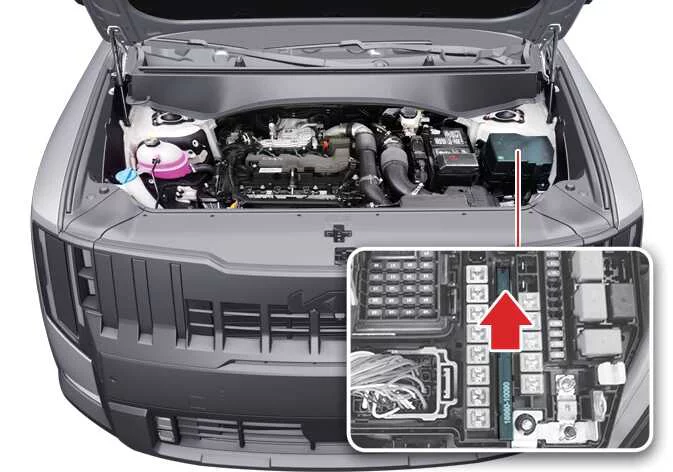
|
(1) Parking/View button
Press the Parking/View button (1) to switch the Rear View Monitor ON.
Press the Parking/View button (1) again to turn the Rear View Monitor OFF.
Rear view
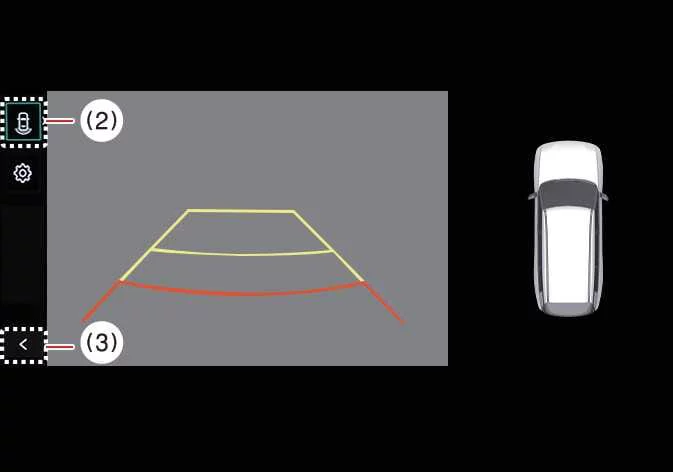
|
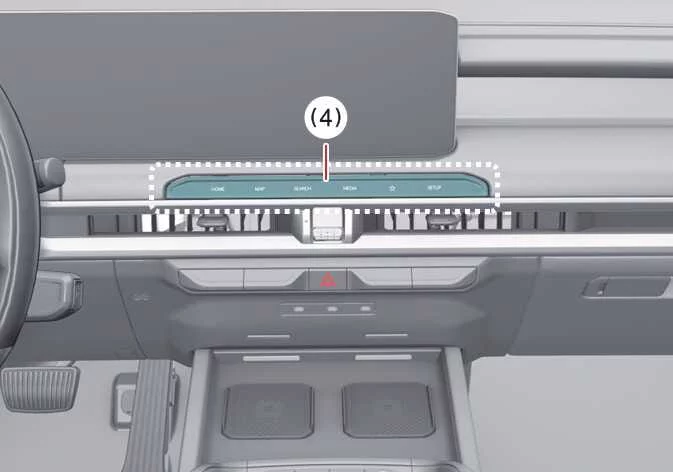
|
(2) View switching button
(3) Back button
(4) Infotainment system operation button
Operating conditions
The Rear View function activates under the following conditions:
-
When the transmission is shifted into R (Reverse).
-
When the Parking/View button (1) is pressed while the transmission is in P (Park) or N (Neutral). In N (Neutral), vehicle speed must remain below 6 mph (10 km/h) for the Rear View Monitor to operate.
Press the View switching button (2) to alternate between Rear Top View, Rear View, and Rear Wide View while the camera display is active.
Non-operating conditions
The Rear View display turns OFF during parking under the following conditions:
-
When the transmission is shifted into P (Park).
-
When the Parking/View button (1) is pressed.
-
When the Back button (3) is selected on the Rear View Monitor screen.
-
When the infotainment system operation button (4) is pressed.
-
When the transmission is in N (Neutral) or D (Drive) and vehicle speed exceeds 6 mph (10 km/h).
TIP
When the transmission remains in R (Reverse), the Rear View Monitor stays active and does not turn OFF until the operating conditions change.
Extended Rear View Monitor
The Extended Rear View Monitor helps support safer low-speed parking by keeping the rear camera image visible after you shift from R (Reverse) into N (Neutral) or D (Drive). This allows the Kia Telluride driver to continue checking the area behind the vehicle while completing a parking maneuver.
Operating conditions
Extended Rear View Monitor operates when the gear is shifted from R (Reverse) into N (Neutral) or D (Drive) and the vehicle speed remains below 6 mph (10 km/h).
Non-operating conditions
Extended Rear View Monitor turns OFF under the following conditions:
-
When the gear is shifted to P (Park).
-
When the Parking/View button (1) is pressed.
-
When the back button (3) on the Rear View Monitor screen is pressed.
-
When the infotainment system operation button (4) is pressed.
-
When vehicle speed increases above 6 mph (10 km/h).
Rear Top View
|
|
|
(2) View switching button
(3) Back button
(4) Infotainment system operation button
Rear Top View displays an overhead-style image of the area behind the vehicle, helping the driver judge the space between the Kia Telluride and nearby vehicles, walls, curbs, or other objects while parking.
To turn Rear Top View ON, press the Rear Top View button.
TIP
-
When the gear remains in R (Reverse), the rear camera image stays displayed regardless of which rear view mode is selected.
-
Rear View and Rear Top View can show Rear Parking Guidelines. To display Rear Parking Guidelines, select Setup > Vehicle > Driver Assistance > Parking Safety > Camera Settings > Display Information > Rear Parking Guidelines in the infotainment system settings menu. Rear Parking Guidelines are not displayed on the Rear View while parking.

 Rear View Monitor malfunction and limitations
Rear View Monitor malfunction
If Rear View Monitor malfunctions, the image on the display may appear green, blue, black, distorted, or otherwise abnormal...
Other information:
Kia Telluride (LQ2, 2027-2026) Owner's Manual: Wiper blades
Blade inspection Buildup of road film, dead insects, tree sap, or leftover car wash wax treatments on either the windshield surface or rubber wiper blades can compromise clearing efficiency and cause annoying streaking. If the wipers fail to wipe smoothly across the glass, clean both the glass panel and the flexible blade elements thoroughly using a quality automotive glass cleaner or mild soap solution, then rinse completely with clean water...
Kia Telluride (LQ2, 2027-2026) Owner's Manual: Electric Chromic Mirror (ECM): (if equipped)
The available Electric Chromic Mirror (ECM) automatically minimizes glare from the headlights of following vehicles during nighttime or other low-light driving conditions, improving visibility without requiring manual adjustment. A built-in light sensor mounted within the rearview mirror continuously monitors surrounding light levels while the engine is running...
Categories
- Manuals Home
- RAB warning light (if equipped)
- Reclining the seatback (if equipped)
- Disabling functions
- New on site
- Most important about car
Setting the clock manually
