
Subaru Forester: Steering wheel / Steering wheel heater: (if equipped)
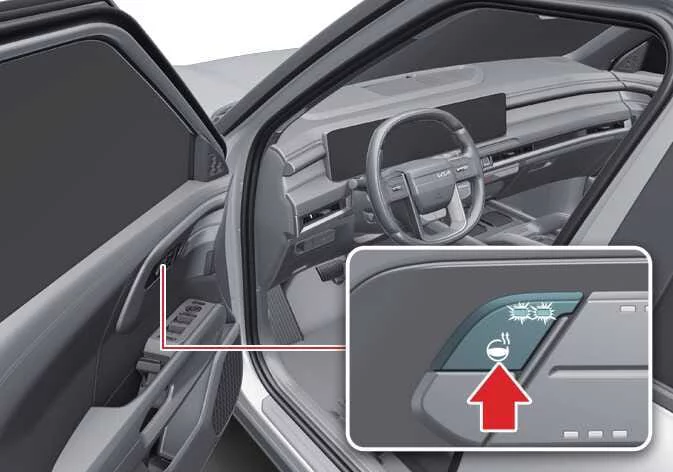
When the ENGINE START/STOP button is in the ON position, press the heated steering wheel button to activate the steering wheel heater. Once activated, the indicator light on the switch illuminates to confirm operation.
|
-
Press the heated steering wheel button once to switch the system on. The indicator light will illuminate and the steering wheel will begin warming shortly afterward.
-
To reduce the possibility of low-temperature burns during extended use, the Kia Telluride automatically adjusts the steering wheel temperature after the heater has been activated.
Steering wheel heater level
Operating time
Off
-
2 (Strong)
30 minutes
1 (Weak)
Until restart
-
When the heater is operating at Level 2 (Strong), it automatically changes to Level 1 (Weak) after approximately 30 minutes of continuous operation.
-
If no additional adjustments are made by the driver, the heater remains at Level 1 (Weak) until the vehicle is switched off.
-
-
To switch the heated steering wheel off, press and hold the steering wheel heater button until the indicator light turns off.
NOTE
-
Do not install steering wheel covers or grip wraps, as they may reduce heating efficiency and interfere with the normal operation of the heated steering wheel system.
-
When cleaning the heated steering wheel, avoid using paint thinner, benzene, gasoline, alcohol, or other organic solvents. These products may damage the steering wheel surface.
-
Avoid striking the steering wheel with sharp or pointed objects, as they may damage the internal heating elements.
WARNING
If the steering wheel becomes excessively warm, switch the heater off immediately. Prolonged contact with a heated steering wheel may cause low-temperature burns, particularly during extended driving.
 Tilt and telescopic steering wheel. Adjusting steering wheel angle and height
The tilt and telescopic steering wheel allows you to adjust both the..
 Steering wheel grip sensor
While the Kia Telluride Driver Assistance systems are operating, the steering wheel grip sensor monitors whether the driver is holding the steering wheel...
Other information:
Subaru Forester 2019-2026 Owners Manual: Operational conditions
The engine can be automatically stopped by the Auto Start Stop system when all of the following conditions are met. The engine is sufficiently warmed up. The engine hood is closed. The driver’s door is closed. The driver’s seatbelt is fastened...
Subaru Forester 2019-2026 Owners Manual: How to temporarily lower the sensitivity of the high beam assist function
The sensitivity of the high beam assist function can be lowered by performing the following operations. Before turning the ignition switch to the “ON” position, set the light control switch to the “AUTO” position and push the signal lever forward (high beam position)...
Categories
- Manuals Home
- Vehicle load limit – how to determine
- Low fuel warning light
- How to use the high beam assist function
- New on site
- Most important about car
Type B multi-function display (color LCD)
Turn the ignition switch to “ON”.
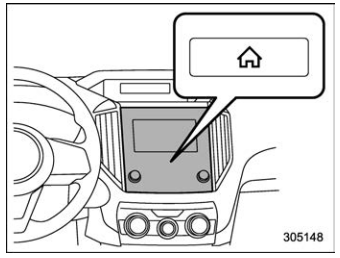
 button.
Select “Settings”.
Select “Vehicle”.
Select “Time/Date” and then select “Manual”.
button.
Select “Settings”.
Select “Vehicle”.
Select “Time/Date” and then select “Manual”.
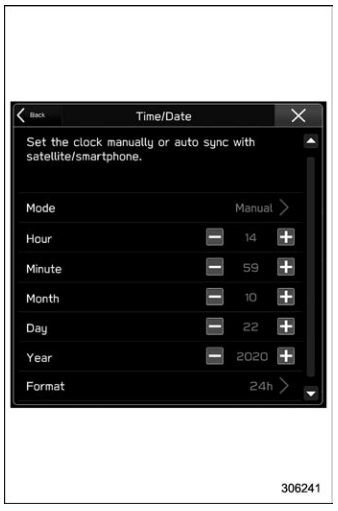
 to complete the
clock
setting.
to complete the
clock
setting.
