
Subaru Forester 2019-2026 Owners Manual / Starting and operating / Auto Start Stop system / System operation / Operational conditions
Subaru Forester: System operation / Operational conditions
The engine can be automatically stopped by the Auto Start Stop system when all of the following conditions are met.
- The engine is sufficiently warmed up.
- The engine hood is closed.
- The driver’s door is closed.
- The driver’s seatbelt is fastened.
- The malfunction indicator light (Check Engine light) is off.
- The airflow mode selection is set to a
mode other than
 mode.
mode. - The rear window defogger is not in use.
- The X-MODE has been turned off (if equipped).
After the vehicle is stopped, the engine will be automatically stopped when the following conditions are met.
- The steering wheel is in the straight ahead position.
- The steering wheel is not being operated.
NOTE
- After the vehicle is stopped, the
engine may not automatically stop
under the following conditions.
- The vehicle is stopped on a road with a steep slope.
- The vehicle is stopped by hard braking.
- Negative pressure in the brake booster is not sufficient.
- After the vehicle is stopped, the engine may not automatically stop if the brake pedal is not fully depressed. Make sure to depress the brake pedal firmly when stopping the vehicle.
- In the following cases, it may take
some time for the Auto Start Stop
system to operate.
- When the battery is discharged because the vehicle has not been used for a long period of time, etc.
- The coolant temperature is low.
- When the battery terminals have been reconnected after replacing the battery, etc.
 System operation
CAUTION
The Auto Start Stop system is designed
to automatically stop and
restart the engine for a short period
of time during idling. Do not use the
system when parking the vehicle
normally.
So that it can be used safely and comfortably,
in addition to driver operations, the
Auto Start Stop s..
 Non-operational conditions
In any of the following cases, the Auto
Start Stop system will not operate.
When the Auto Start Stop warning light/
Auto Start Stop OFF indicator light (yellow)
is illuminating or flashing...
Other information:
Kia Telluride (LQ2, 2027-2026) Owner's Manual: Smart support (Driver's seat)
When SPORT mode is selected, the driver's seat bolster in the Kia Telluride automatically tightens to provide firmer waist and side support. This added support helps keep the driver more securely positioned during dynamic driving and contributes to improved stability when the vehicle is being driven in a sportier manner...
Kia Telluride (LQ2, 2027-2026) Owner's Manual: Engine
Item Smartstream G2.5 T-GDi Displacement [cu...
Categories
- Manuals Home
- Replacing battery of access key fob
- Reverse Automatic Braking (RAB) system ON/OFF setting
- Alarm system setting
- New on site
- Most important about car
Average fuel consumption
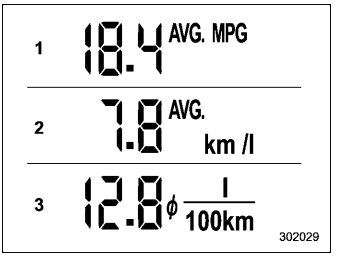
This display shows the average rate of fuel consumption since the trip meter was last reset.

Copyright © 2026 www.suforester5.com