
Subaru Forester 2019-2026 Owners Manual / Starting and operating / Auto Start Stop system
Subaru Forester: Starting and operating / Auto Start Stop system
The Auto Start Stop system is designed to automatically stop and restart the engine when the vehicle is stationary for a short period of time (while waiting for a traffic light or in a traffic jam) after the engine has warmed up. The system operates in order to reduce fuel consumption, exhaust emissions and undesired idling noise.
- System operation
- Auto Start Stop warning light
- Auto Start Stop OFF switch
- Auto Start Stop No Activity Detected indicator light
- Displaying the Auto Start Stop system status / System warning
 Parking tips
W..
 System operation
CAUTION
The Auto Start Stop system is designed
to automatically stop and
restart the engine for a short period
of time during idling. Do not use the
system when parking the vehicle
normally...
Other information:
Kia Telluride (LQ2, 2027-2026) Owner's Manual: Occupant Detection System (ODS)
Your Kia Telluride is equipped with an Occupant Detection System (ODS) integrated into the front passenger seat. The Occupant Detection System continuously monitors whether the front passenger seat is occupied by a properly seated passenger and determines whether the front passenger air bag should remain enabled or be deactivated...
Kia Telluride (LQ2, 2027-2026) Owner's Manual: When flatbed is unavailable
A two-wheel drive (2WD) Kia Telluride may be towed with its non-driven wheels rolling on the roadway (without wheel dollies), provided the driven wheels are fully raised off the ground and the electronic parking brake is disengaged prior to switching off the vehicle...
Categories
- Manuals Home
- Daytime running light system
- Reverse Automatic Braking (RAB) system ON/OFF setting
- Vehicle load limit – how to determine
- New on site
- Most important about car
Clock/date screen
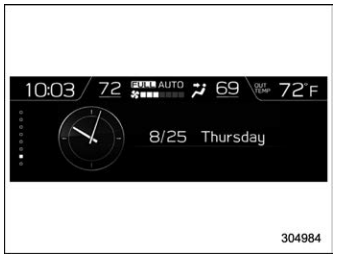
The time and date are displayed. You can adjust the time and date. For details, refer to “Clock”.

Copyright © 2026 www.suforester5.com