
Subaru Forester: Auto Start Stop system / System operation
CAUTION
The Auto Start Stop system is designed to automatically stop and restart the engine for a short period of time during idling. Do not use the system when parking the vehicle normally.
So that it can be used safely and comfortably, in addition to driver operations, the Auto Start Stop system is designed to constantly monitor the vehicle conditions as well as the environment inside and outside the vehicle, in order to control stopping and restarting of the engine.
After the vehicle has been completely stopped by depressing the brake pedal with the select lever in the “D” position, the engine will be automatically stopped.
If you release the brake pedal with the select lever kept in the “D” position, the engine will be automatically restarted.
However, when the Auto Vehicle Hold ON indicator light illuminates, the engine will not restart.
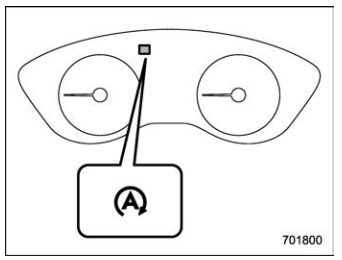
Auto Start Stop indicator light (green) (type A)
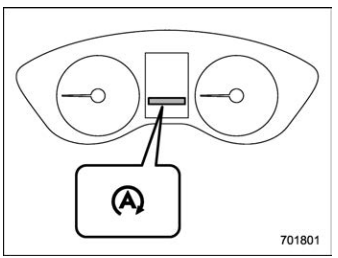
Auto Start Stop indicator light (green) (type B)
If the engine is temporarily stopped by the system, the Auto Start Stop indicator light on the combination meter will illuminate in green. This indicator light will turn off when the system restarts the engine.
NOTE
- After starting the engine, if the vehicle is left idling without being driven, the Auto Start Stop system will not operate.
- Your vehicle is equipped with a special high-performance battery. When replacing the vehicle battery, be sure to replace it with a genuine SUBARU battery (or equivalent) designed specifically for use in a vehicle equipped with the Auto Start Stop system. For details, we recommend that you consult your SUBARU dealer.
- Operational conditions
- Non-operational conditions
- Engine restart operational conditions
- Engine restart non-operational conditions
 Auto Start Stop system
The Auto Start Stop system is designed to
automatically stop and re..
 Operational conditions
The engine can be automatically stopped
by the Auto Start Stop system when all of
the following conditions are met.
The engine is sufficiently warmed up...
Other information:
Subaru Forester 2019-2026 Owners Manual: Floor mat
CAUTION If the floor mat slips forward and interferes with the movement of the pedals during driving, it could cause an accident. Observe the following precautions to prevent the floor mat from slipping forward. Be sure to use a genuine SUBARU floor mat or an equivalent designed with grommets in the correct locations...
Subaru Forester 2019-2026 Owners Manual: Tire pressures and wear
Maintaining the correct tire pressures helps to maximize the tires’ service lives and is essential for good running performance. Check and, if necessary, adjust the pressure of each tire and the spare (if equipped) at least once a month and before any long journey...
Categories
- Manuals Home
- Unlock using PIN Code Access
- RAB warning light (if equipped)
- Auto Start Stop warning light/Auto Start Stop OFF indicator light (yellow)
- New on site
- Most important about car
Type B multi-function display (color LCD)
Turn the ignition switch to “ON”.
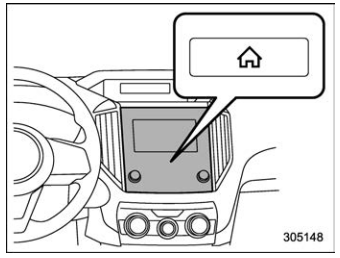
 button.
Select “Settings”.
Select “Vehicle”.
Select “Time/Date” and then select “Manual”.
button.
Select “Settings”.
Select “Vehicle”.
Select “Time/Date” and then select “Manual”.
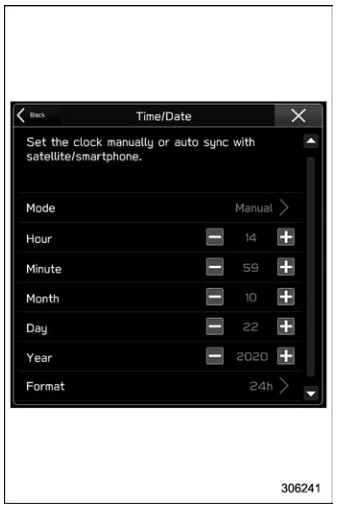
 to complete the
clock
setting.
to complete the
clock
setting.
