
Subaru Forester 2019-2026 Owners Manual / Starting and operating / Auto Start Stop system / Auto Start Stop OFF switch
Subaru Forester: Auto Start Stop system / Auto Start Stop OFF switch
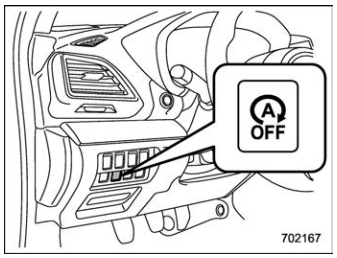
Auto Start Stop OFF switch
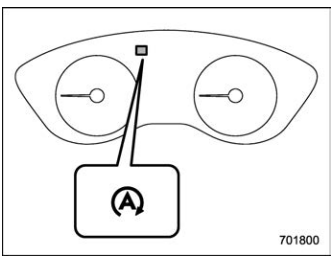
Auto Start Stop OFF indicator light (yellow) (type A)
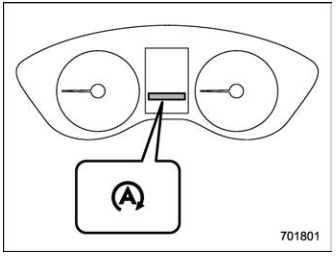
Auto Start Stop OFF indicator light (yellow) (type B)
If the Auto Start Stop OFF switch is pressed, operation of the Auto Start Stop system will be disabled. The Auto Start Stop OFF indicator light on the combination meter will then illuminate in yellow. If the switch is pressed once more, the Auto Start Stop system will turn on again. The Auto Start Stop OFF indicator light will then turn off.
While the engine is temporarily stopped by the system, if the Auto Start Stop OFF switch is pressed, the engine will be restarted even if you do not release the brake pedal.
NOTE
- If the engine is restarted when the Auto Start Stop system is not operational and the ignition switch has been turned to the “LOCK”/“OFF” position, the Auto Start Stop system will turn on again.
- Be sure to turn the ignition switch to the “LOCK”/“OFF” position when leaving the vehicle. Failure to do so could result in the battery discharging.

 Auto Start Stop No Activity Detected indicator light
Auto Start Stop No Activity Detected indicator light (type
A)
Auto Start Stop No Activity Detected indicator light (type
B)
If the operational conditions are not met
when the vehicle is stopped, the engine
will not stop and the Auto Start Stop No
Activity Detected indicator light will illumin..
Other information:
Subaru Forester 2019-2026 Owners Manual: Keys
NOTE For models with “keyless access with push-button start system”, refer to “Keyless access with push-button start system”. The following keys are provided with the vehicle. Master keys Sub key Key number plate A key can be used in the following locations...
Kia Telluride (LQ2, 2027-2026) Owner's Manual: Replacing lights (LED type)
If any LED light cluster on your Kia Telluride fails to operate correctly, please schedule a comprehensive electrical system inspection with an authorized Kia dealer. Because light-emitting diodes and their micro-circuitry are permanently integrated directly into the assembly housing as a single solid-state unit, individual diodes cannot be serviced separately...
Categories
- Manuals Home
- Daytime running light system
- Instrument panel
- Replacing battery of access key fob
- New on site
- Most important about car
Outside temperature indicator
The outside temperature is displayed on the multi-function display (color LCD).
NOTE
The outside temperature indicator shows the temperature around the sensor. However, the temperature may not be indicated correctly or the update may be delayed in the following conditions. While parking or driving at low speeds When the outside temperature changes suddenly (example: when going in and out of an underground parking area or when passing through a tunnel) When starting the engine after being parked for a certain period of time The temperature unit cannot be changed.
Copyright © 2026 www.suforester5.com