
Subaru Forester: Seat heater (if equipped) / Front seat heater
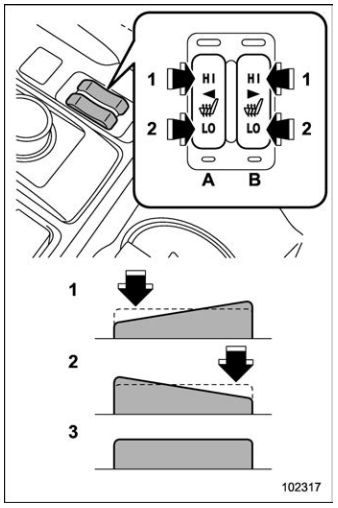
Front seats
- HI – Rapid heating
- LO – Normal heating
- Off
- Left-hand side
- Right-hand side
To turn on the seat heater, push the “LO” or “HI” position on the switch, as desired, depending on the temperature.
Selecting the “HI” position will cause the seat to heat up quicker.
To turn off the seat heater, lightly press the opposite side of the current position. The indicator located on the switch illuminates when the seat heater is in operation.

 Rear seat heater (if equipped)
CAUTION
Do not open and close the center
console lid while operating the rear
seat heater switch. There is the risk
of fingers being caught in the lid...
Other information:
Subaru Forester 2019-2026 Owners Manual: Turn off display of driving information display
Select the blank space in the menu to exit the driving information display selection. NOTE The average fuel consumption and average vehicle speed are calculated even while the driving information display is not displayed. Even if you turn off the driving information display, the display will automatically turn on when the battery voltage is disconnected and then reconnected for battery replacement or fuse replacement...
Subaru Forester 2019-2026 Owners Manual: Door open warning light
The warning light illuminates if any door or the rear gate is not fully closed. This function is effective even if the ignition switch is in the “LOCK”/“OFF” or “ACC” position, or the key is removed from the ignition switch. For some models, only the open doors are indicated by the warning lights...
Categories
- Manuals Home
- Daytime running light system
- Reclining the seatback (if equipped)
- Replacing battery of access key fob
- New on site
- Most important about car
Average vehicle speed
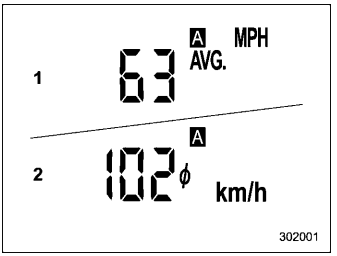
This display shows the average vehicle speed since the trip meter was last reset. Pressing the TRIP RESET switch toggles the display between the average vehicle speed corresponding to the A trip meter display and the average vehicle speed corresponding to the B trip meter display. When either of the trip meter displays is reset, the corresponding average vehicle speed value is also reset.
