
Subaru Forester 2019-2026 Owners Manual / Instruments and controls / Light control switch / Headlight flasher
Subaru Forester: Light control switch / Headlight flasher
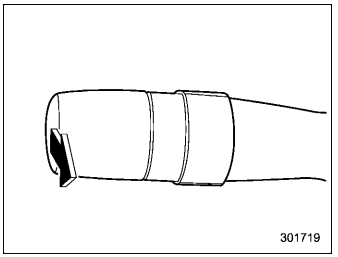
CAUTION
Do not hold the lever in the flashing position for more than just a few seconds.
To flash the headlights, pull the lever toward you and then release it. The high beam will stay on for as long as you hold the lever.
When the headlights are on high beam, the
high beam indicator light  on the
combination meter also illuminates.
on the
combination meter also illuminates.

 High beam assist function (if equipped)
NOTE
The high beam assist function utilizes
the stereo camera installed at the
position of the front map lights.
For details on how to handle the
stereo camera, refer to the Owner’s
Manual supplement for the EyeSight
system...
Other information:
Subaru Forester 2019-2026 Owners Manual: Height adjustment
Head restraint Release button Remove button To release: Lowermost to the 1st stepPull the head restraint up to the 1st step. To raise: 1st step to the 3rd stepPull the head restraint up while pressing the release button on the top of the seatback...
Kia Telluride (LQ2, 2027-2026) Owner's Manual: Personalized profile and vehicle settings
When a smartphone registered as a Kia Digital Key 2 is linked to a user profile, the Kia Telluride can automatically apply that driver's personalized vehicle settings. Features such as door locking and unlocking with the digital key, along with other customized preferences, will operate according to the linked profile...
Categories
- Manuals Home
- Reclining the seatback (if equipped)
- To activate/deactivate the X-MODE
- Instrument panel
- New on site
- Most important about car
Clock/date screen
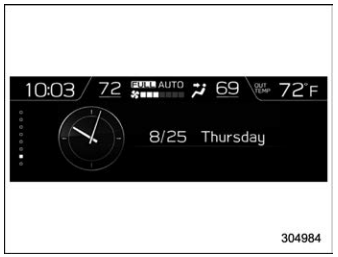
The time and date are displayed. You can adjust the time and date. For details, refer to “Clock”.

Copyright © 2026 www.suforester5.com