
Subaru Forester: Intelligent Speed Limit Assist (ISLA): (if equipped) / Intelligent Speed Limit Assist operation. Warning and control
Warning and control
Intelligent Speed Limit Assist provides several warning and control functions designed to help the driver recognize posted speed limits and respond appropriately while driving the Kia Telluride. Depending on road conditions and system operation, the following features may be available:
-
Displaying the speed limit
-
Speeding warning
-
Changing the set speed
-
Auto set speed change
TIP
The warning and control functions of Intelligent Speed Limit Assist operate based on an Offset setting of "0". For additional information about adjusting the Offset value, refer to the Intelligent Speed Limit Assist (ISLA) settings section.
Displaying the speed limit
|
The instrument cluster displays the currently recognized speed limit to help you stay informed while driving the Kia Telluride. Depending on available road sign recognition and navigation information, the displayed value is updated as new speed limit signs are detected.
TIP
-
If Intelligent Speed Limit Assist cannot recognize a valid speed limit from nearby traffic signs or available data, the instrument cluster displays "---". Refer to the Intelligent Speed Limit Assist malfunction and limitations section if traffic signs are difficult for the system to detect.
-
In addition to the posted speed limit, Intelligent Speed Limit Assist may display certain supplementary road sign information. The available symbols and messages can differ depending on the country or region where the Kia Telluride is being driven.
-
The appearance, colors, and graphics shown on the instrument cluster may vary depending on the cluster type, display theme, or vehicle specifications.
Speeding warning
|
|
If the Kia Telluride is driven faster than the detected speed limit, the speed limit indicator changes to red on the instrument cluster to alert the driver that the current vehicle speed exceeds the recognized limit.
Changing the set speed
|
|
|
If the posted speed limit changes while Manual Speed Limit Assist or Smart Cruise Control is active, the instrument cluster displays an upward or downward arrow to indicate that the set speed should be adjusted. You can match the new speed limit by pressing the ( ) or (
 ) switch on the steering wheel.
The set speed adjustment function operates under the following condition:
-
On roads where the posted speed limit is 20 mph (30 km/h) or higher.
Auto set speed change (if equipped with navigation)
|
|
When Manual Speed Limit Assist or Smart Cruise Control is operating and the selected speed matches the recognized speed limit, the Kia Telluride can automatically update the set speed whenever the detected speed limit changes. This feature operates on roads with speed limits above 45 mph (70 km/h). When Auto Set Speed Change is active, the set speed is displayed in green on the instrument cluster, allowing you to easily recognize that automatic speed adjustment is available.
TIP
-
If you prefer to drive below the detected speed limit, reduce the Offset value below "0" or press the (
) switch to manually lower the set speed. -
Even after the set speed has been updated to match the posted speed limit, the driver can still accelerate beyond that limit. Always monitor traffic conditions and reduce vehicle speed manually whenever necessary.
-
Intelligent Speed Limit Assist uses the speed unit selected in the instrument cluster. If the displayed unit differs from the unit commonly used in the country where you are driving, system operation may not function as intended.
TIP
-
For additional information about using Manual Speed Limit Assist, refer to the Manual Speed Limit Assist (MSLA) section.
-
For detailed operating information about Smart Cruise Control, refer to the Smart Cruise Control (SCC) section.

 Intelligent Speed Limit Assist malfunction and limitations
Intelligent Speed Limit Assist malfunction
Check Driver Assistance system...
Other information:
Subaru Forester 2019-2026 Owners Manual: Entering the vehicle while it is running via remote start (models with “keyless access with push-button start system”)
Unlock the vehicle doors using the keyless access function and remote keyless entry system.NOTE If the vehicle’s doors are unlocked manually using the key, the vehicle’s alarm system will trigger (if the alarm system is armed prior to activating the remote engine start system) and the engine will turn off...
Kia Telluride (LQ2, 2027-2026) Owner's Manual: Removing and storing the spare tire
The compact spare tire is mounted externally under the rear chassis of your Kia Telluride, directly beneath the cargo floor structure. Removing the spare tire To lower and release the spare tire assembly from its underbody carrier, follow these steps: Open the rear liftgate to access the trunk area...
Categories
- Manuals Home
- Low fuel warning light
- Auto Start Stop warning light/Auto Start Stop OFF indicator light (yellow)
- Replacing battery of access key fob
- New on site
- Most important about car
Clock/date screen
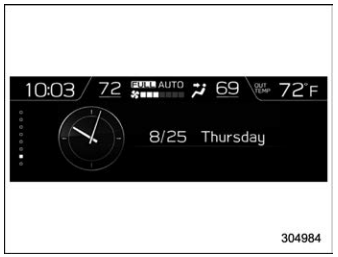
The time and date are displayed. You can adjust the time and date. For details, refer to “Clock”.
