
Subaru Forester 2019-2026 Owners Manual / Instruments and controls / Warning and indicator / SI-DRIVE indicator light
Subaru Forester: Warning and indicator / SI-DRIVE indicator light
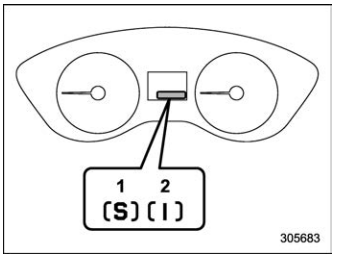
SI-DRIVE indicator light (type A)
- Sport (S) mode
- Intelligent (I) mode
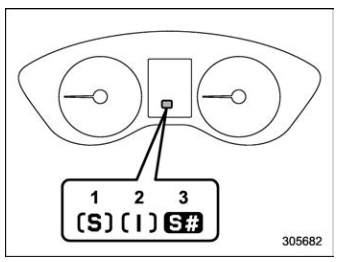
SI-DRIVE indicator light (type B)
- Sport (S) mode (if equipped)
- Intelligent (I) mode
- Sport Sharp (S#) mode (if equipped)
This light indicates the current SI-DRIVE mode.
For details of SI-DRIVE mode, refer to “SIDRIVE”.

 Select lever/gear position indicator
Type A
Upshift indicator
Downshift indicator
Select lever/gear position indicator
Type B
Upshift indicator
Downshift indicator
Select lever/gear position indicator
This indicator shows the position of the
select lever...
Other information:
Subaru Forester 2019-2026 Owners Manual: Stopping engine
Stop the vehicle completely. Move the select lever to the “P” position. Press the push-button ignition switch. The engine will stop, and the power will be switched off. WARNING Do not touch the push-button ignition switch during driving. When the push-button ignition switch is operated as follows, the engine will stop...
Kia Telluride (LQ2, 2027-2026) Owner's Manual: Declaration of conformity
T..
Categories
- Manuals Home
- Reclining the seatback (if equipped)
- Auto Start Stop warning light/Auto Start Stop OFF indicator light (yellow)
- Replacing battery of access key fob
- New on site
- Most important about car
Clock/date screen
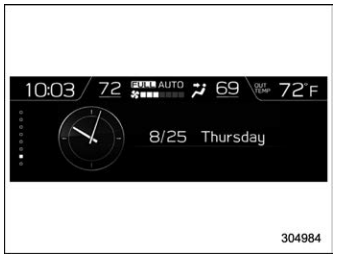
The time and date are displayed. You can adjust the time and date. For details, refer to “Clock”.

Copyright © 2026 www.suforester5.com