
Subaru Forester 2019-2026 Owners Manual / Appearance care / Exterior care / Washing / Using a warm water washer
Subaru Forester: Washing / Using a warm water washer
- Keep a good distance of 12 in (30 cm) or more between the washer nozzle and the vehicle.
- Do not wash the same area continuously.
- If a stain will not come out easily, wash by hand. Some warm water washers are of the high temperature, high pressure type, and they can damage or deform the resin parts such as moldings, or cause water to leak into the vehicle.

 Waxing and polishing
Always wash and dry the vehicle before
waxing and polishing.
Use a good quality polish and wax and
apply them according to the manufacturer’s
instructions...
Other information:
Kia Telluride (LQ2, 2027-2026) Owner's Manual: Seat belt restraint system
For the highest level of protection, always wear your seat belt whenever the Kia Telluride is in motion. Proper seat belt use significantly reduces the risk of injury during sudden braking, sharp maneuvers, or a collision. Position the shoulder belt so it rests midway across your shoulder and lies comfortably over your collarbone...
Kia Telluride (LQ2, 2027-2026) Owner's Manual: Summer tires
Certain factory setups or high-performance trim options from Kia specify high-grip summer tires engineered to maximize dry-pavement cornering stability, high-speed steering precision, and optimal braking feedback. The specialized compound used in summer tires hardens in cold temperatures, causing a substantial reduction in traction on icy, snowy, or freezing road surfaces...
Categories
- Manuals Home
- Alarm system setting
- Daytime running light system
- Power steering warning light
- New on site
- Most important about car
Average vehicle speed
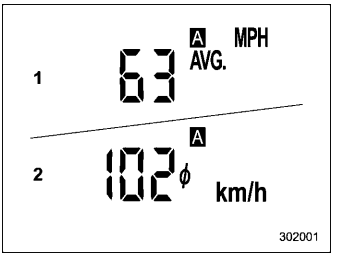
This display shows the average vehicle speed since the trip meter was last reset. Pressing the TRIP RESET switch toggles the display between the average vehicle speed corresponding to the A trip meter display and the average vehicle speed corresponding to the B trip meter display. When either of the trip meter displays is reset, the corresponding average vehicle speed value is also reset.

Copyright © 2026 www.suforester5.com