
Subaru Forester: Using HomeLink / Certification
In the event that there are still programming difficulties or questions, additional HomeLink information and programming videos can be found at
www.HomeLink.com, www.youtube.com/HomeLinkGentex, or by calling the toll-free HomeLink-hotline at 1-800-355-3515.
U.S.-spec. models
CAUTION
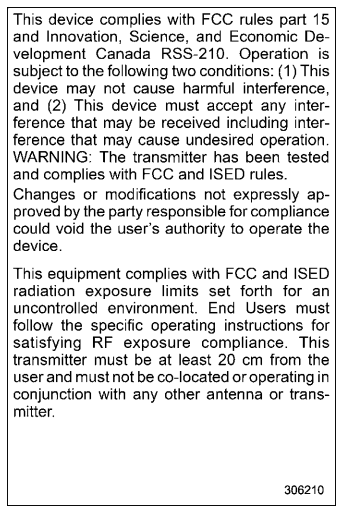
FCC WARNING
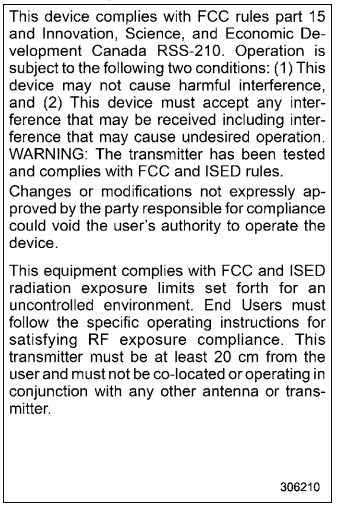
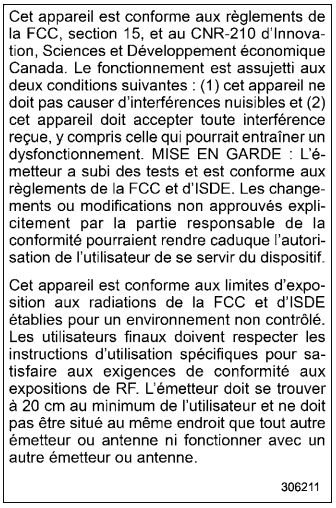
Changes or modifications not expressly approved by the party responsible for compliance could void the user’s authority to operate the equipment.
Canada-spec. models
HomeLink® and the HomeLink® house are registered trademarks of Gentex Corporation.
WARNING
- W h e n p r o g r a m m i n g t h e HomeLink® Wireless Control System, you may be operating a garage door opener or other device. Make sure that people and objects are out of the way of the garage door or other device to prevent potential harm or damage.
- Do not use the HomeLink® Wireless Control System with a garage door opener that lacks the safety stop and reverse feature as required by applicable safety standards. A garage door opener which cannot detect an object, signaling the door to stop and reverse, does not meet these safety standards. Using a garage door opener without these features increases risk of serious injury or death. For more information, consult the HomeLink® website at www.homelink.com or call 1-800-355-3515.
Mexico-spec. models


Other information:
Subaru Forester 2019-2026 Owners Manual: Stopping the engine / Steering lock
Stopping the engine The ignition switch should be turned off only when the vehicle is stopped and the engine is idling. WARNING Do not stop the engine when the vehicle is moving. This will cause loss of power to the power steering and the brake booster, making steering and braking more difficult...
Kia Telluride (LQ2, 2027-2026) Owner's Manual: Surround View Monitor settings
Warning Methods Driver Assistance Warning Methods To adjust Warning Methods while the vehicle is ON, select Setup > Vehicle > Driver Assistance > Warning Methods on the infotainment screen...
Categories
- Manuals Home
- All-Wheel Drive warning light
- Unlock using PIN Code Access
- Changing a flat tire
- New on site
- Most important about car
How to get the source code using the open source
Free/Open Source Software Information
This product contains Free/Open Source Software (FOSS).
The license information and/or the source code of such FOSS can be found at the following URL.
http://www.globaldenso.com/en/opensource/ivi/subaru/
