
Subaru Forester: Child restraint systems / Choosing a child restraint system
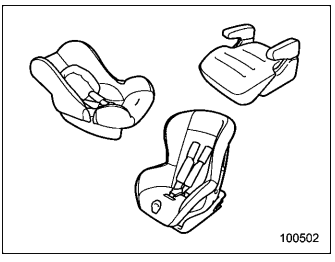
Choose a child restraint system that is appropriate for the child’s age and size (weight and height) in order to provide the child with proper protection. The child restraint system should meet all applicable requirements of Federal Motor Vehicle Safety Standards for the United States or of Canada Motor Vehicle Safety Standards for Canada. It can be identified by looking for the label on the child restraint system or the manufacturer’s statement of compliance in the document attached to the system.
Also it is important for you to make sure that the child restraint system is compatible with the vehicle in which it will be used.

 Installing child restraint systems with ALR/ELR seatbelt. Rearward facing child restraint
CAUTION
When installing a child restraint
system in the rear center seating
position, set both seatbacks to the
original position. Otherwise, the
child restraint system cannot be
securely restrained, which may result
in death or serious injuries in
the event of sudden stop, sudden
steering m..
Other information:
Kia Telluride (LQ2, 2027-2026) Owner's Manual: Leg support
Upward Downward Operation Push the rear portion of switch (1) forward to raise the leg support. Push the front portion of switch (2) rearward to lower the leg support...
Subaru Forester 2019-2026 Owners Manual: BSD/RCTA approach indicator light
BSD/RCTA approach indicator light It is mounted in each side of the outside mirrors. The indicator light will illuminate when a vehicle approaching from behind is detected. The indicator light will flash to warn the driver of dangers under the following conditions...
Categories
- Manuals Home
- Reverse Automatic Braking (RAB) system ON/OFF setting
- Automatic door locking/unlocking
- Reclining the seatback (if equipped)
- New on site
- Most important about car
Average vehicle speed
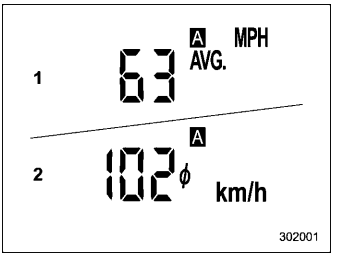
This display shows the average vehicle speed since the trip meter was last reset. Pressing the TRIP RESET switch toggles the display between the average vehicle speed corresponding to the A trip meter display and the average vehicle speed corresponding to the B trip meter display. When either of the trip meter displays is reset, the corresponding average vehicle speed value is also reset.
