
Subaru Forester 2019-2026 Owners Manual / Instruments and controls / Multi-function display (black and white) / Driving information display / Current fuel consumption
Subaru Forester: Driving information display / Current fuel consumption
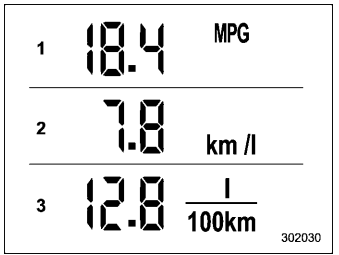
- Displays the driving range per gallon of fuel
- Displays the driving range per liter of fuel
- Displays the fuel consumption per 100 km
This indication shows the rate of fuel consumption at the present moment.

 Journey time (models without combination
meter display (color LCD))
Journey time (models without combination
meter display (color LCD))
The journey time shows the time that has
elapsed since the ignition switch was
turned to the “ON” position.
The journey time indication flashes each
time a complete hour has elapsed...
Other information:
Kia Telluride (LQ2, 2027-2026) Owner's Manual: Tire chains
If severe winter weather conditions necessitate the use of tire chains on your Kia Telluride, always install the traction devices on the front drive wheels. Ensure that all tire chain assemblies are fitted and tensioned strictly in according with the chain manufacturer’s installation manual...
Kia Telluride (LQ2, 2027-2026) Owner's Manual: Adjusting lumbar support: (if equipped)
Figure 1. Type A Figure 2. Type B The lumbar support system helps improve lower back comfort and reduces fatigue during extended driving. Adjust the lumbar support by operating the switch located on the side of the driver's seat...
Categories
- Manuals Home
- Reclining the seatback (if equipped)
- Changing a flat tire
- Low fuel warning light
- New on site
- Most important about car
Clock/date screen
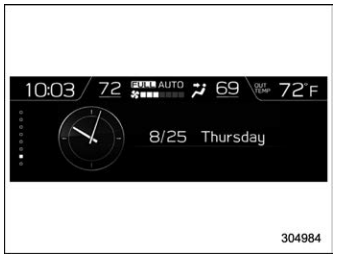
The time and date are displayed. You can adjust the time and date. For details, refer to “Clock”.

Copyright © 2026 www.suforester5.com