
Subaru Forester: Driver Attention Warning (DAW) / Driver Attention Warning malfunction and limitations
Driver Attention Warning malfunction
|
|
When Driver Attention Warning is not operating correctly, the Master warning light ( ) appears on the instrument cluster together with a warning message that remains displayed for several seconds.
If this occurs, have the Driver Attention Warning system in the Kia Telluride inspected by an authorized Kia dealer.
Driver Attention Warning disabled
|
|
|
When foreign material such as snow, rain, dirt, or moisture covers the windshield area where the front view camera is located, the front radar cover, the bumper, or the sensor area, detection performance may be reduced. In this condition, Driver Attention Warning may be temporarily limited or disabled.
If this happens, a warning message and the Master warning light () appear on the instrument cluster. This condition does not necessarily mean that Driver Attention Warning has malfunctioned.
Driver Attention Warning should return to normal operation after the foreign material, such as snow, rain, dirt, or moisture, is removed from the sensor area.
If Driver Attention Warning still does not operate properly after foreign material has been removed from the sensor, or after obstructions such as a trailer or carrier have been removed from the rear bumper area, have the Kia Telluride inspected by an authorized Kia dealer.
WARNING
-
If the camera is obstructed or malfunctioning, the blocked or faulty condition may remain even after restarting the vehicle, and Driver Attention Warning may not operate properly.
-
Driver Attention Warning may not operate correctly in an open area where there is nothing for the system to detect, or when the detection sensor becomes covered with foreign material after the vehicle is turned ON.
TIP
You can review the Driver Attention Warning message in the utility information view of the instrument cluster.
Limitations of Driver Attention Warning
Driver Attention Warning in the Kia Telluride may operate abnormally, respond late, or behave unexpectedly under the following circumstances:
-
The vehicle is being driven aggressively, such as during rapid acceleration, sudden deceleration, or high-speed cornering.
-
The driver changes lanes frequently or makes repeated steering inputs.
-
Other Driver Assistance functions, such as Lane Keeping Assist, are actively controlling or correcting the vehicle’s movement.
-
Lane recognition is difficult because lane markings are faint, worn, unclear, covered, or otherwise hard for the system to detect.
Leading vehicle departure alert function
-
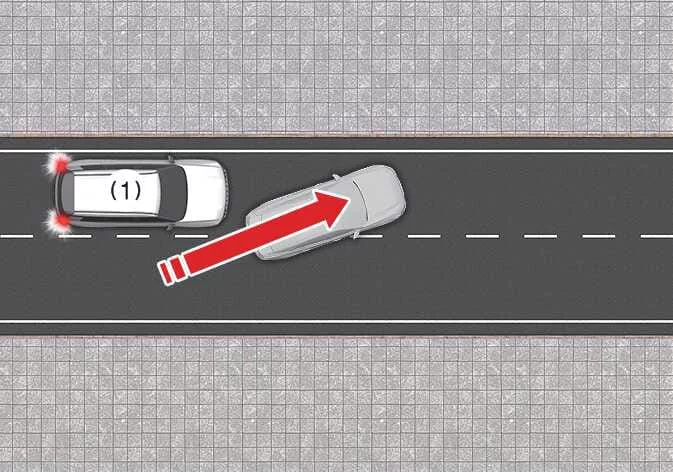
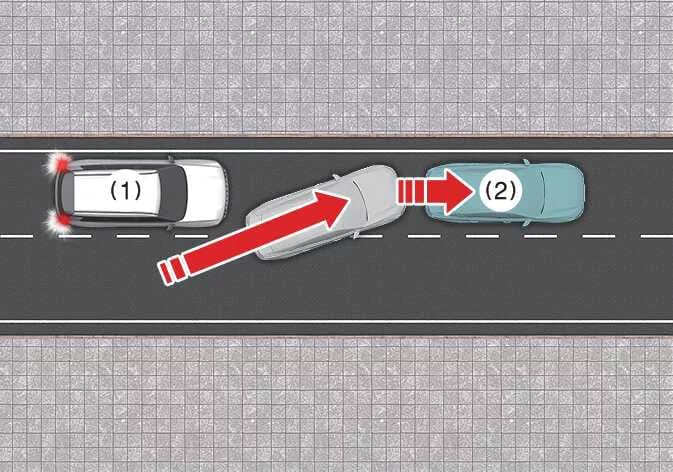
When a vehicle cuts in
-
Your vehicle
-
Vehicle ahead
If another vehicle suddenly cuts in ahead of the Kia Telluride, Leading Vehicle Departure Alert may not recognize the situation correctly and may not operate as expected.
-
-
When the vehicle ahead sharply steers
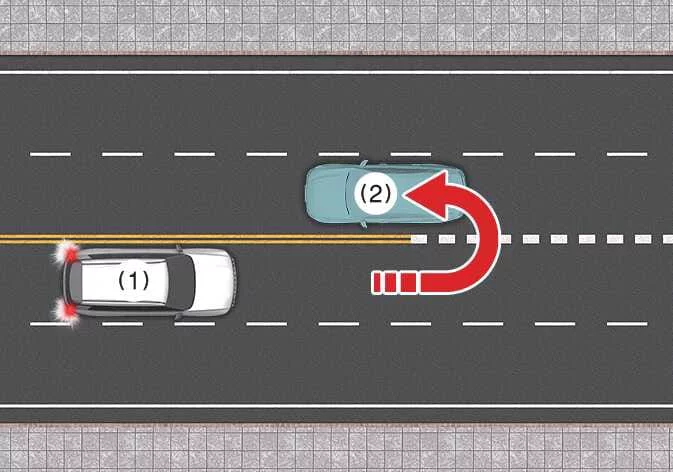
-
Your vehicle
-
Vehicle ahead
If the vehicle ahead makes a sharp left turn, right turn, or U-turn, Leading Vehicle Departure Alert may not operate properly because the system may have difficulty determining the vehicle’s departure path.
-
-
When the vehicle ahead abruptly departs
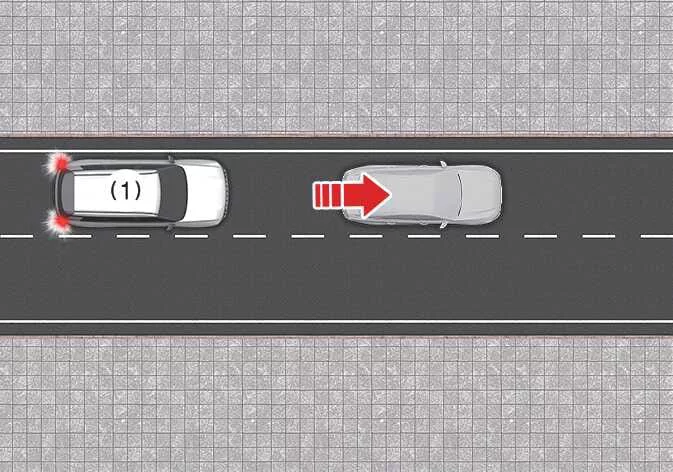
-
Your vehicle
If the vehicle ahead moves away suddenly or too quickly, Leading Vehicle Departure Alert may not respond properly.
-
-
When a pedestrian or cyclist is between you and the vehicle ahead
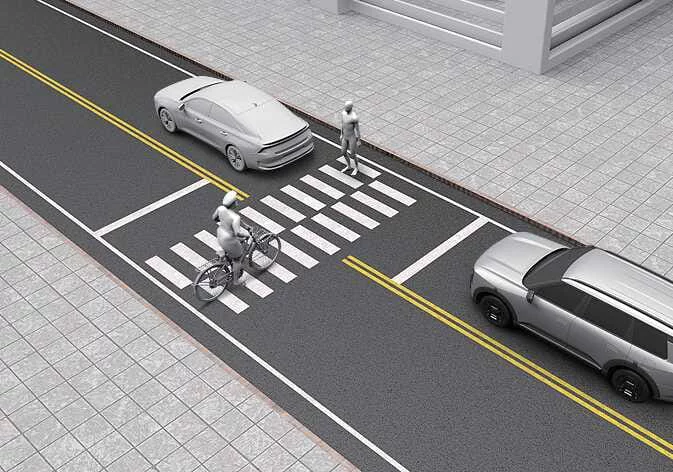
If a pedestrian, cyclist, or another road user is positioned between your vehicle and the vehicle ahead, Leading Vehicle Departure Alert may not operate properly.
-
When in a parking lot
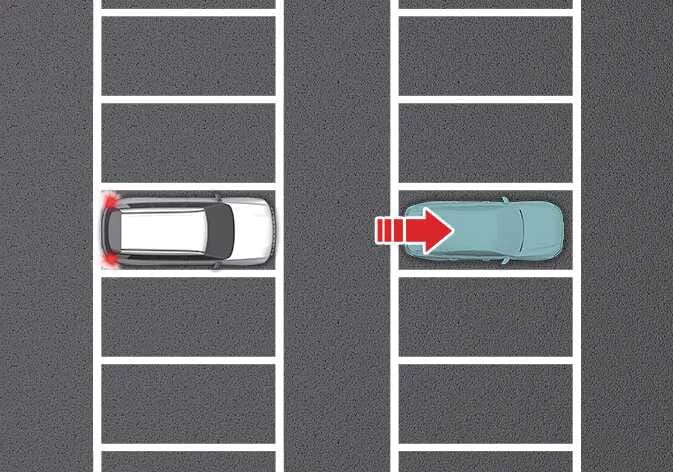
If a vehicle parked ahead begins to move away, Leading Vehicle Departure Alert may notify you that the parked vehicle is driving away, even though the situation may not match normal stop-and-go traffic.
-
When driving at a tollgate or intersection
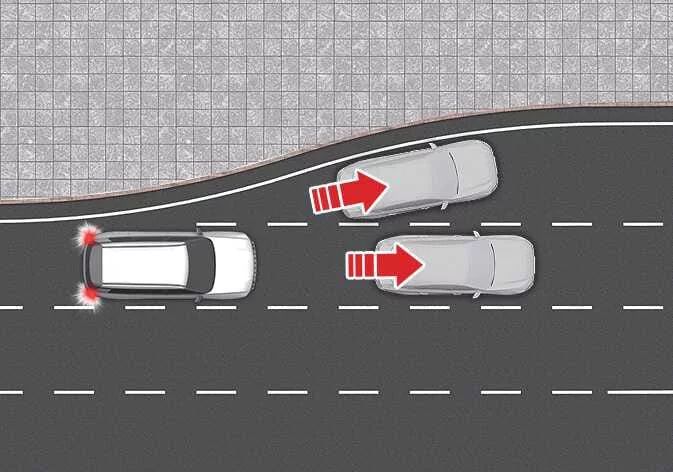
If the Kia Telluride is stopped at a tollgate, intersection, lane split, or merging area where it is difficult to clearly identify the vehicle ahead, Leading Vehicle Departure Alert may not operate properly.
TIP
Driver Attention Warning may not activate for approximately 15 seconds after the vehicle is restarted or after the front view camera is initialized.
TIP
For more information about the front view camera, refer to Forward Collision-avoidance Assist (FCA) (Sensor Fusion).

 Forward Attention Warning (FAW): (if equipped)
Forward Attention Warning uses the in-cabin camera to help reduce driver distraction while the Kia Telluride is being driven. When the system determines that the driver’s attention is not directed toward the road, it can provide an audible warning and display a warning light to help the driver ref..
Other information:
Kia Telluride (LQ2, 2027-2026) Owner's Manual: Audio system
NOTE If an aftermarket High Intensity Discharge (HID) headlight is installed, the audio system and other electronic components in your Kia Telluride may not operate correctly. When metallic window tint film is applied to the glass, it may interfere with the hi-pass communication function, radio reception, connected vehicle services, and the automatic headlight activation function...
Kia Telluride (LQ2, 2027-2026) Owner's Manual: Remote Smart Parking Assist settings. Warning methods
Warning methods Driver Assistance Warning Methods System Warning Methods can be customized whenever the vehicle power is turned on...
Categories
- Manuals Home
- RAB warning light (if equipped)
- Unlock using PIN Code Access
- Disabling functions
- New on site
- Most important about car
Clock/date screen
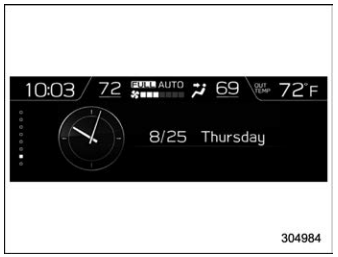
The time and date are displayed. You can adjust the time and date. For details, refer to “Clock”.
