
Subaru Forester 2019-2026 Owners Manual / Instruments and controls / Hazard warning flasher
Subaru Forester: Instruments and controls / Hazard warning flasher
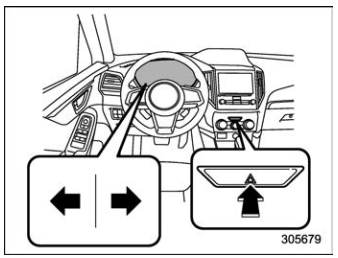
The hazard warning flasher is used to warn other drivers when you have to park your vehicle under emergency conditions. The hazard warning flasher works regardless of the position of the ignition switch.
To turn on the hazard warning flasher, push the hazard warning flasher switch on the instrument panel. All the turn signal lights and the turn signal indicator lights will flash. To turn off the flasher, push the switch again.
NOTE
When the hazard warning flasher is on, the turn signals do not work.

 Meters and gauges
NOTE
Some of the meters and gauges on the
combination meter use liquid-crystal
displays. You will find their indications
hard to see if you wear polarized
glasses...
Other information:
Subaru Forester 2019-2026 Owners Manual: Turn off display of driving information display
Select the blank space in the menu to exit the driving information display selection. NOTE The average fuel consumption and average vehicle speed are calculated even while the driving information display is not displayed. Even if you turn off the driving information display, the display will automatically turn on when the battery voltage is disconnected and then reconnected for battery replacement or fuse replacement...
Subaru Forester 2019-2026 Owners Manual: Cargo tie-down hooks
The cargo area is equipped with several tie-down hooks so that cargo can be secured with a cargo net or ropes. When using the tie-down hooks, turn them down out of the storing recesses. CAUTION The cargo tie-down hooks are designed only for securing light cargo...
Categories
- Manuals Home
- Unlock using PIN Code Access
- All-Wheel Drive warning light
- Power steering warning light
- New on site
- Most important about car
Clock/date screen
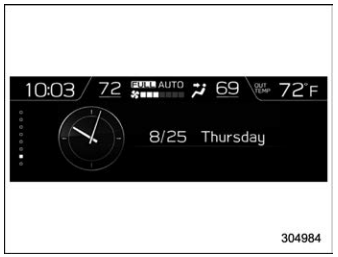
The time and date are displayed. You can adjust the time and date. For details, refer to “Clock”.

Copyright © 2026 www.suforester5.com