
Subaru Forester 2019-2026 Owners Manual / Illustrated index
Subaru Forester: Illustrated index
- Exterior
- Interior
- Instrument panel
- Light control and wiper control levers/switches
- Combination meter
- Warning and indicator lights
 General information
California Perchlorate Advisory
Certain vehicle components, such as ..
 Exterior
Engine hood
Windshield wipers
Replacing bulbs
Headlights
Moonroof
Roof rails
Outside mirrors
Door locks
Tire pressure
Flat tires
Snow tires
Fog lights
Tie-down hooks
Towing hook
Rear window defogger
Fuel filler lid and cap
Child safety locks
Tie-down hole
Replacing bulbs
Rea..
Other information:
Subaru Forester 2019-2026 Owners Manual: Ignition switch (models without “keyless access with push-button start system”)
WARNING Never turn the ignition switch to the “LOCK” position while the vehicle is being driven or towed because that will lock the steering wheel, preventing steering control. And when the engine is turned off, it takes a much greater effort than usual to steer...
Kia Telluride (LQ2, 2027-2026) Owner's Manual: Over-The-Air (OTA) software update
The Over-The-Air (OTA) software update feature allows your Kia Telluride to receive the latest compatible software wirelessly without requiring a visit to a service center. By keeping the vehicle software up to date, you can benefit from the newest available system improvements and feature enhancements designed for your vehicle...
Categories
- Manuals Home
- Automatic door locking/unlocking
- Alarm system setting
- All-Wheel Drive warning light
- New on site
- Most important about car
Type B multi-function display (color LCD)
Turn the ignition switch to “ON”.
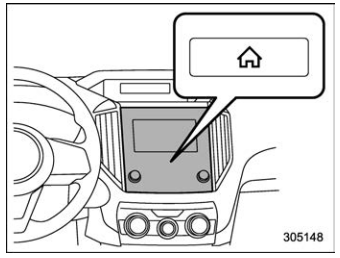
 button.
Select “Settings”.
Select “Vehicle”.
Select “Time/Date” and then select “Manual”.
button.
Select “Settings”.
Select “Vehicle”.
Select “Time/Date” and then select “Manual”.
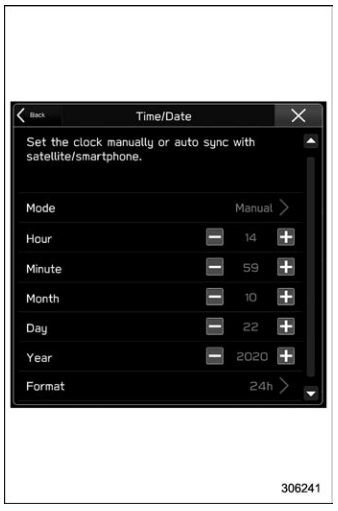
 to complete the
clock
setting.
to complete the
clock
setting.

Copyright © 2026 www.suforester5.com