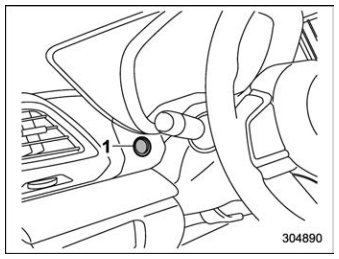
Subaru Forester: Combination meter display (color LCD) (if equipped) / Telltale screen
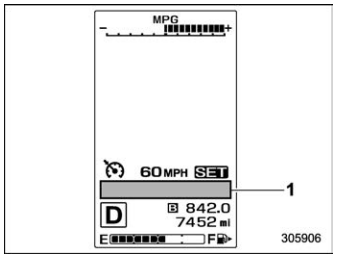
- Telltale screen
When the corresponding situation occurs, the following telltales will be displayed on the telltale screen.
NOTE
When there is warning information to
display, it will be displayed in five
warning indicators, starting on the left
in ascending order of severity. If there
are six or more warning informations
displayed, pull the “  ” switch and
check the item.
” switch and
check the item.
 Door open warning light
 Engine hood open
warning light
Engine hood open
warning light
 LED headlight warning
light
LED headlight warning
light
 High beam assist indicator
light (if equipped)
High beam assist indicator
light (if equipped)
 Steering Responsive
Headlight warning light
Steering Responsive
Headlight warning light
 Engine low oil level
warning light
Engine low oil level
warning light
 RAB warning light (if
equipped)
RAB warning light (if
equipped)
 RAB OFF indicator light
(if equipped)
RAB OFF indicator light
(if equipped)
 BSD/RCTA warning
light (if equipped)
BSD/RCTA warning
light (if equipped)
 BSD/RCTA OFF indicator
light (if equipped)
BSD/RCTA OFF indicator
light (if equipped)
 Auto Start Stop warning
light/Auto Start Stop
OFF indicator light (yellow)
Auto Start Stop warning
light/Auto Start Stop
OFF indicator light (yellow)
 Automatic headlight
beam leveler warning
light
Automatic headlight
beam leveler warning
light
 Windshield washer fluid
warning light
Windshield washer fluid
warning light
 Auto Start Stop indicator
light (green)
Auto Start Stop indicator
light (green)
 Auto Start Stop No Activity
Detected indicator
light
Auto Start Stop No Activity
Detected indicator
light
 Hill descent control indicator
light (if
equipped)
Hill descent control indicator
light (if
equipped)
 Driver Monitoring System
operation indicator
light (green) (if
equipped)
Driver Monitoring System
operation indicator
light (green) (if
equipped)
Driver Monitoring System warning light (yellow) (if equipped)
 Driver Monitoring System
OFF indicator light
(if equipped)
Driver Monitoring System
OFF indicator light
(if equipped)
 Driver Monitoring System
temporary stop indicator
light (if
equipped)
Driver Monitoring System
temporary stop indicator
light (if
equipped)
 Icy road surface warning
light
Icy road surface warning
light
 Warning screen
Example of warning
If there is a warning message or a
maintenance notification, it will appear on
this screen. Take the appropriate actions
based on the messages indicated...
 Basic screens
By operating the “” or “”
switch on the
steering wheel, you can change the screen
that is always displayed.
Average fuel consumption screen:
: Average fuel consumption
: Driving range on remaining
fuel
This screen displays the average rate of
fuel consumption since the trip meter was..
Other information:
Subaru Forester 2019-2026 Owners Manual: GVWR and GAWR (Gross Vehicle Weight Rating and Gross Axle Weight Rating)
Certification label The certification label attached to the bottom of driver’s side door pillar shows GVWR (Gross Vehicle Weight Rating) and GAWR (Gross Axle Weight Rating). The GVW (Gross Vehicle Weight) must never exceed the GVWR. GVW is the combined total of weight of the vehicle, fuel, driver, all passengers, luggage, any optional equipment and trailer tongue load...
Subaru Forester 2019-2026 Owners Manual: Selection of “L” (if equipped)
Type A Type B “L” is for using engine braking when going down a hill, etc. To select this mode, move the select lever from the “D” position to the “L” position. Type A Type B When selected, the indicator “L” will illuminate on the combination meter...
Categories
- Manuals Home
- Power steering warning light
- Instrument panel
- To activate/deactivate the X-MODE
- New on site
- Most important about car
Average fuel consumption
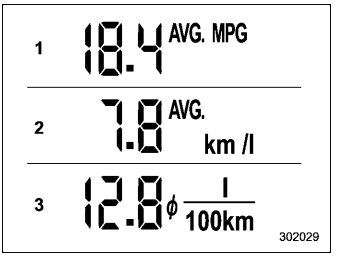
This display shows the average rate of fuel consumption since the trip meter was last reset.