
Subaru Forester 2019-2026 Owners Manual / Driving tips / Loading your vehicle / Vehicle capacity weight
Subaru Forester: Loading your vehicle / Vehicle capacity weight
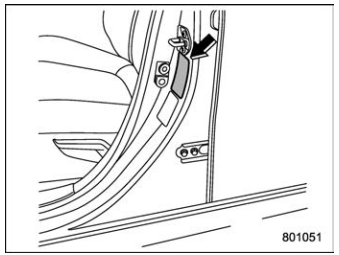
Vehicle placard
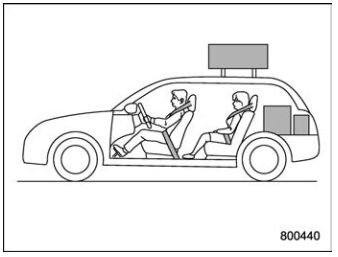
The load capacity of your vehicle is determined by weight, not by available cargo space. The maximum load you can carry in your vehicle is shown on the vehicle placard attached to the driver’s side door pillar. It includes the total weight of the driver and all passengers and their belongings, any optional equipment such as a trailer hitch, roof rack or bike carrier, etc., and the tongue load of a trailer.

 GVWR and GAWR (Gross Vehicle Weight Rating and Gross Axle Weight Rating)
Certification label
The certification label attached to the
bottom of driver’s side door pillar shows
GVWR (Gross Vehicle Weight Rating) and
GAWR (Gross Axle Weight Rating)...
Other information:
Kia Telluride (LQ2, 2027-2026) Owner's Manual: Engine number
The engine number for your Kia Telluride is permanently stamped on the engine block in the location shown in the illustration. This identification number is used for vehicle servicing, parts identification, registration procedures, and other official documentation when engine-related information is required...
Kia Telluride (LQ2, 2027-2026) Owner's Manual: Highway Driving Assist
Display and control The operating status of Highway Driving Assist is shown in the Driving Assist view of the instrument cluster. For additional information about the display layout, refer to the LCD display modes section of your Kia Telluride owner's manual...
Categories
- Manuals Home
- Auto Start Stop warning light/Auto Start Stop OFF indicator light (yellow)
- Reverse Automatic Braking (RAB) system ON/OFF setting
- Instrument panel
- New on site
- Most important about car
Clock/date screen
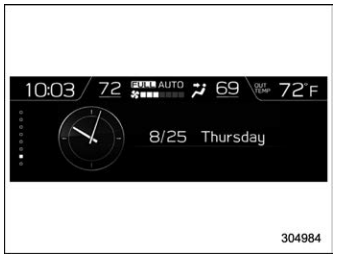
The time and date are displayed. You can adjust the time and date. For details, refer to “Clock”.

Copyright © 2026 www.suforester5.com