
Subaru Forester: Using HomeLink / Garage Door Two-Way Communication
HomeLink has the capability of communicating with your garage door opener. HomeLink can receive and display “closing” or “opening” status messages from compatible garage door opener systems. At any time, HomeLink can also recall and display the last recorded status communicated by the garage door opener to indicate your garage door being “closed” or “opened”.
HomeLink has the capability of receiving this communication from the garage door opener at a range up to 820 feet (250 m).
Range may be reduced by obstacles such as houses or trees. You may have to slow your vehicle speed to successfully receive the garage door opener communication.

 Programming Two-Way Communication
Status Indicators
Within five seconds after programming a
new HomeLink button, both of HomeLink’s
garage door status indicators will flash
rapidly green indicating that the garage
door two-way communication has been
enabled...
Other information:
Subaru Forester 2019-2026 Owners Manual: Front passenger’s SRS frontal airbag
The front passenger’s SRS frontal airbag uses a dual stage inflator. The inflator operates in different ways depending on the severity of impact. Occupant detection system sensors The occupant detection system sensors are installed between the seat and seat rails, and monitor the physique and posture of the front passenger...
Subaru Forester 2019-2026 Owners Manual: Child restraint systems
Infants and small children should always be placed in an infant or child restraint system in the rear seat while riding in the vehicle. You should use an infant or child restraint system that meets Federal Motor Vehicle Safety Standards or Canada Motor Vehicle Safety Standards, is compatible with your vehicle and is appropriate for the child’s age and size...
Categories
- Manuals Home
- Unlock using PIN Code Access
- Disabling functions
- Vehicle load limit – how to determine
- New on site
- Most important about car
Clock/date screen
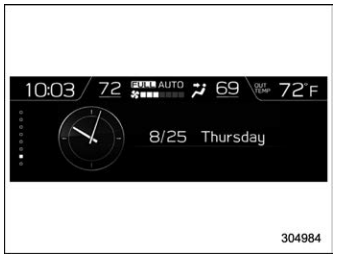
The time and date are displayed. You can adjust the time and date. For details, refer to “Clock”.
