
Subaru Forester 2019-2026 Owners Manual / Starting and operating / Parking your vehicle
Subaru Forester: Starting and operating / Parking your vehicle
- Electronic parking brake
- Automatic release function by accelerator pedal
- Auto Vehicle Hold function
- Emergency brake
- Electronic parking brake system warning
- Parking tips

 Electronic parking brake
Parking brake switch
Indicator light
Release the electronic parking brake
Apply the electronic parking brake
WARNING
Before exiting the vehicle, make
sure that you turn off the engine...
Other information:
Kia Telluride (LQ2, 2027-2026) Owner's Manual: Crosswind Stability Control (CSC)
Crosswind Stability Control (CSC) works together with the ESC and MDPS systems to help the Kia Telluride remain stable when strong side winds affect vehicle balance or reduce tire traction. By assisting with steering input and braking intervention, the system helps the driver maintain the intended driving path during challenging wind conditions...
Subaru Forester 2019-2026 Owners Manual: BSD/RCTA OFF switch
BSD/RCTA OFF switch BSD/RCTA OFF indicator light If the BSD/RCTA OFF switch is pressed, the BSD/RCTA OFF indicator light appears on the combination meter, and the BSD/RCTA is deactivated. Press the switch again to activate the BSD/ RCTA. The BSD/RCTA OFF indicator light will disappear...
Categories
- Manuals Home
- Disabling functions
- If the passenger’s frontal airbag OFF indicator illuminates and the ON indicator turns off even when the front passenger’s seat is occupied by an adult
- Unlock using PIN Code Access
- New on site
- Most important about car
Clock/date screen
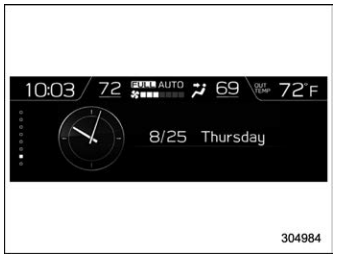
The time and date are displayed. You can adjust the time and date. For details, refer to “Clock”.

Copyright © 2026 www.suforester5.com