
Subaru Forester: Rear Cross-traffic Collision-avoidance Assist (RCCA) / Rear Cross-Traffic Collision-avoidance Assist settings
Rear Cross-Traffic Safety
|
|
While the vehicle is ON, select Setup > Vehicle > Driver Assistance > Parking Safety > Rear Cross-Traffic Safety on the infotainment screen to adjust Rear Cross-Traffic Collision-avoidance Assist settings.
WARNING
Rear Cross-Traffic Collision-avoidance Assist automatically turns ON whenever the vehicle is restarted. If Rear Cross-Traffic Safety is deselected after restarting the Kia Telluride, always check the surroundings carefully and reverse with extra caution.
WARNING
-
Do not use this system when towing a trailer or another vehicle, or when a carrier or other equipment is installed in a way that may affect sensor operation or vehicle balance. Under these conditions, Rear Cross-Traffic Collision-avoidance Assist may not operate properly.
-
When connecting a trailer or carrier, configure the trailer or carrier menu if equipped. If the setting is selected manually or the connection is automatically recognized through genuine parts, some driver assistance functions may be limited. Refer to Driver assistance system limitations and always drive carefully.
Warning Methods
|
|
|
To adjust Warning Methods while the vehicle is ON, select Setup > Vehicle > Driver Assistance > Warning Methods on the infotainment screen. The following settings can be changed:
-
Warning Volume: Adjusts the loudness of the warning sound used by driver assistance alerts.
-
Haptic Warning: Turns the steering wheel vibration warning ON for supported safety alerts.
TIP
-
Your selected Warning Methods settings may also be used by other driver assistance systems in the Kia Telluride.
-
Warning Methods keep the most recent settings after the vehicle is turned OFF and restarted.
-
The Warning Methods menu may not be available on every vehicle, depending on trim level, equipment, or market specification.

 Rear Cross-Traffic Collision-avoidance Assist operation
Rear Cross-Traffic Collision-avoidance Assist warns the driver and may help control the vehicle according to the level of collision risk detected while the Kia Telluride is reversing...
Other information:
Kia Telluride (LQ2, 2027-2026) Owner's Manual: Selecting a child restraint system (CRS)
When choosing a Child Restraint System (CRS) for your child, always consider the following recommendations to ensure the highest level of protection while traveling in your Kia Telluride. Verify that the CRS carries a certification label indicating compliance with the applicable Federal Motor Vehicle Safety Standards (FMVSS 213)...
Subaru Forester 2019-2026 Owners Manual: Driver Monitoring System (if equipped)
Driver Monitoring System is introduced as DriverFocus in some countries. The Driver Monitoring System monitors possible cases when the driver is not paying attention to the forward direction, and also recognizes individual users. This system warns the driver of inattentive/ drowsy driving, and can support safe and comfortable driving by automatically retrieving the following settings...
Categories
- Manuals Home
- Alarm system setting
- Reverse Automatic Braking (RAB) system ON/OFF setting
- Instrument panel
- New on site
- Most important about car
Clock/date screen
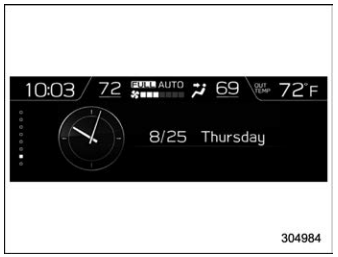
The time and date are displayed. You can adjust the time and date. For details, refer to “Clock”.
