
Subaru Forester 2019-2026 Owners Manual / Keys and doors / Keyless access with push-button start system (if equipped)
Subaru Forester: Keys and doors / Keyless access with push-button start system (if equipped)
The following access key fobs are provided with the vehicle.
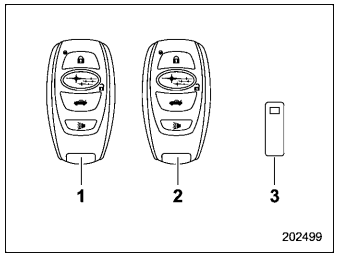
- Access key fobs
- Key number plate
The “keyless access with push-button start system” allows the following functions to be performed when the access key fob is being carried.
- Locking and unlocking of doors, rear gate and fuel filler lid (For details, refer to “Locking and unlocking by holding the access key fob”)
- Starting and stopping the engine (For details, refer to “Starting and stopping engine (models with push-button start system)”)
- Arming and disarming the alarm system (For details, refer to “Alarm system”)
NOTE
- Locking/unlocking using the remote keyless entry system can also be controlled with the buttons on the access key fob. For details, refer to “Remote keyless entry system”.
- Carefully store the key number plate supplied with the access key fob. It is necessary for vehicle repair and additional registration of access key fobs. For details, refer to “Key replacement”.
An emergency key is attached to each access key fob.
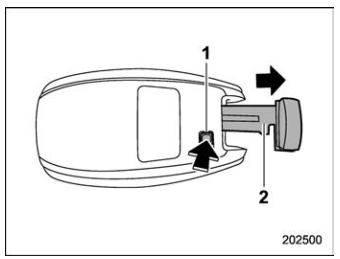
- Release button
- Emergency key
Press the release button of the access key fob to take out the emergency key.
The emergency key is used for the following operations.
- Locking and unlocking the driver’s door
- Locking and unlocking the glove box
NOTE
The glove box can be kept locked when the vehicle and the access key fob (with the emergency key removed) are left at a parking facility.
- Safety precautions
- Locking and unlocking by holding the access key fob
- Unlock using PIN Code Access
- Power saving function
- Power saving function of access key fob
- Disabling keyless access function
- Selecting audible signal operation
- When access key fob does not operate
- Certification for keyless access with push-button start system
 Keys
Keys
NOTE
For models with “keyless access with
push-button start syste..
 Safety precautions
WARNING
If you wear an implanted pacemaker
or an implanted defibrillator, stay at
least 8.7 in (22 cm) away from the
transmitting antennas installed on
the vehicle...
Other information:
Subaru Forester 2019-2026 Owners Manual: Safety tips
WARNING Never adjust the seat while driving, as personal injury or loss of vehicle control may occur. Before adjusting the seat, ensure nothing is blocking the adjusting mechanism. After adjusting the seat, move it back and forth to ensure the seat is securely locked...
Subaru Forester 2019-2026 Owners Manual: To remove the front cover and cover housing
T..
Categories
- Manuals Home
- Reverse Automatic Braking (RAB) system ON/OFF setting
- Reclining the seatback (if equipped)
- Daytime running light system
- New on site
- Most important about car
Type B multi-function display (color LCD)
Turn the ignition switch to “ON”.
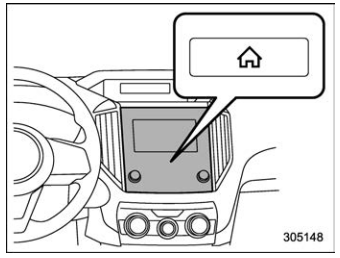
 button.
Select “Settings”.
Select “Vehicle”.
Select “Time/Date” and then select “Manual”.
button.
Select “Settings”.
Select “Vehicle”.
Select “Time/Date” and then select “Manual”.
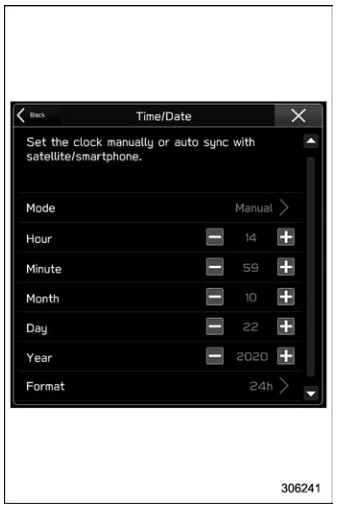
 to complete the
clock
setting.
to complete the
clock
setting.

Copyright © 2026 www.suforester5.com